I tried Reddit’s favourite “hidden” Pixel features You Should Know
Google’s Pixel phones have been in the news for all the wrong reasons lately.
The rollout of Android 17 has been a bit of a nightmare, with reports of connectivity issues, touchscreen malfunctions and even a completely bricked phone. Even if you haven’t updated, broken call rings and weird speaker sounds appear to be widespread.
Rumours of price rises across the upcoming Pixel 11 series isn’t helping matters, even if that doesn’t tell the full story.
To find some solace, I turned to an unlikely source: Reddit. The Google Pixel subreddit is known for its brutal appraisals of hardware and software, which is why a recent thread caught my eye.
“What’s your favourite “hidden feature” in Google Pixel?”, asks user ‘normally_abnormal7’. At the time of writing, they’ve received 247 replies, some of which claim life-changing effects.
But which are legit and which should you ignore? As someone who’s extensively used the last three generations of Pixel flagships, I was very keen to find out. Here’s my verdict on the 10 most popular, as tested on the Pixel 10 Pro XL.
1. Live weather
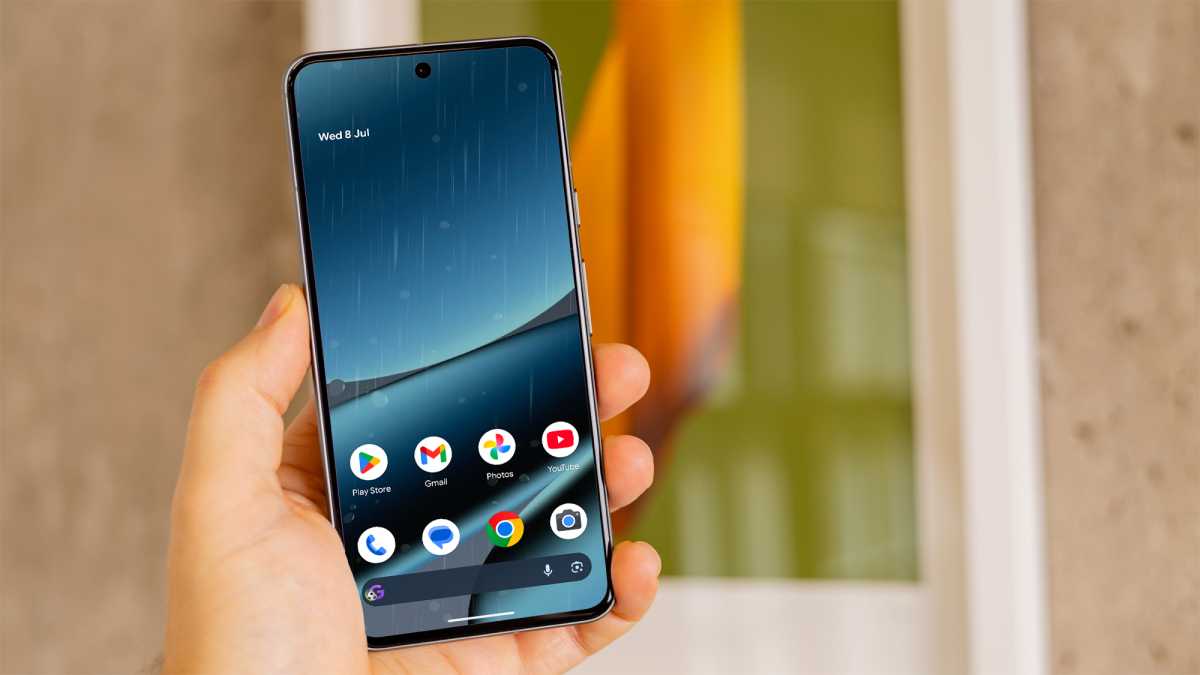
A weather widget is a mainstay of my home screen, but I never knew that you could make the whole home screen match the current conditions!
Live Weather: It only displays for a few seconds
That’s probably not surprising – it requires a custom wallpaper rather than one of the defaults I usually use. From there, you can choose which type of weather to mimic (not just the current conditions in your area) and even the intensity.
Foundry
There’s no doubting that it looks cool, but I was disappointed to learn that it only displays for a few seconds when you unlock your phone, before returning to the standard version. It’d probably tank your battery life otherwise.
Overall, it feels like something you’d show off to friends and then disable as soon as the novelty wears off. Which, for me, was about 10 seconds. It’s a gimmick which you can safely do without.
Verdict: Waste of time
2. Clipboard in Gboard
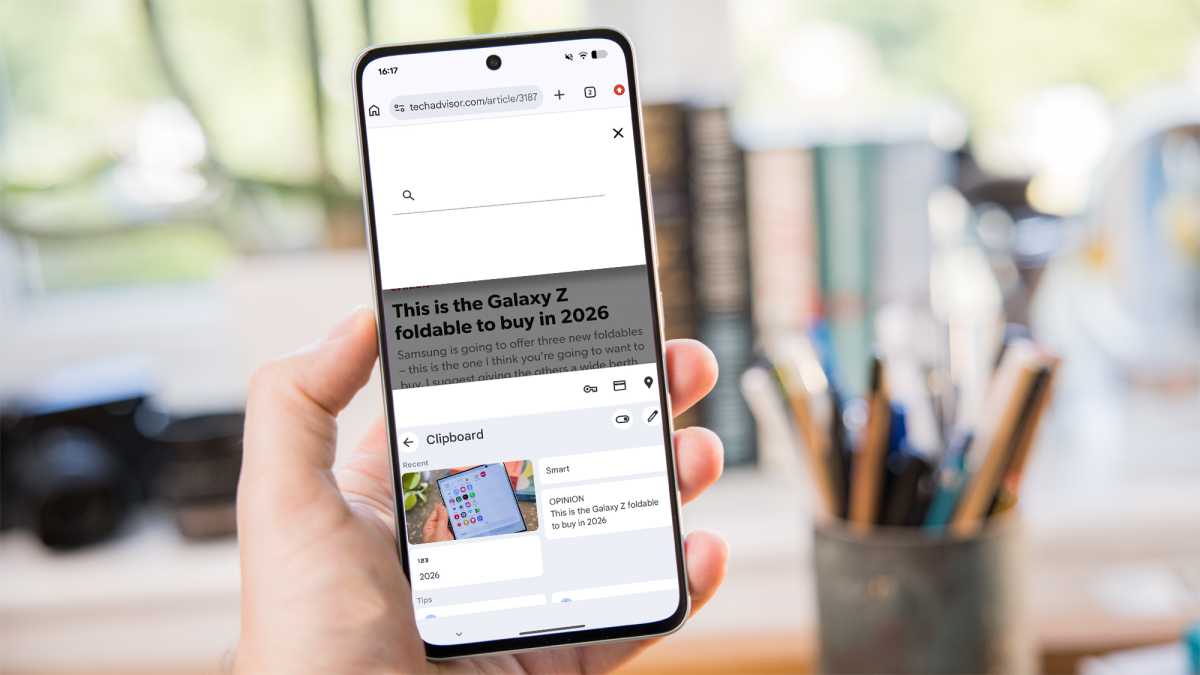
Here’s one that I already use, though it’s not exclusive to Android. You can download and enable Gboard on any Android phone, but the iPhone version is missing one of its best features: Clipboard.
Rather than being limited to whatever you’d just copied (as I used to be), it allows you to keep an extensive library of all text and images that you copy, ready to be used in a couple of taps.
Clipboard: A superb feature
To avoid clutter or accidental copies building up, Clipboard automatically deletes anything that you haven’t pinned within an hour.
Foundry
While I’d argue that this isn’t really a hidden feature – the Clipboard icon is literally right there whenever you use Gboard – it is a legitimately excellent one.
If you’re still copying everything immediately before pasting, embracing the Clipboard is an easy way to save a lot of time and hassle.
Verdict: Not hidden or exclusive to Pixel, but a superb feature
3. Call Screen
I’m starting to think Redditors just ignored the word “hidden”. Because you’d have to have been living under a rock in recent years to have missed hearing about the Pixel’s Call Screen feature.
For the uninitiated, Call Screen is a feature that aims to reduce the number of time-wasters you end up answering the phone to. Whenever an unrecognised number calls, you can opt to screen it, with an AI-generated voice asking who the caller is and why they’re calling. You can then choose whether to accept or reject it.
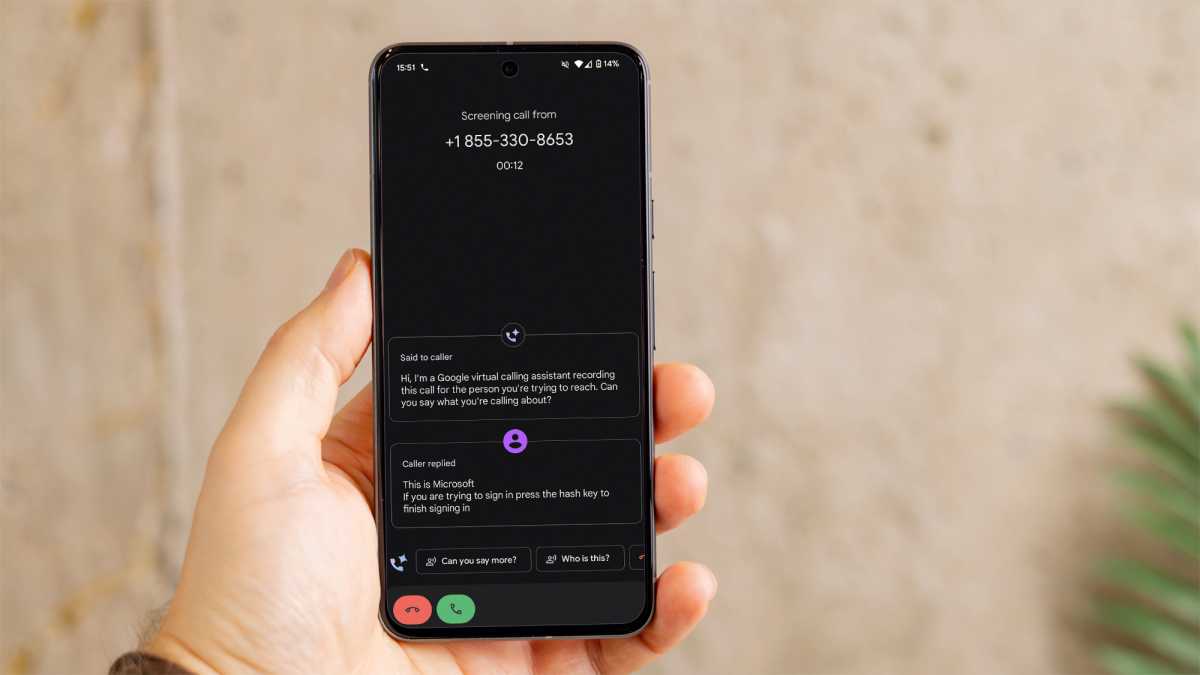
Dominik Tomaszewski / Foundry
In the US, Call Screen is even more powerful, working in the background to automatically decline calls from suspected bots or spammers. In the UK and other countries, this process is entirely manual.
Even so, I find it to be highly effective – most dodgy callers simply hang up when they hear the AI voice. However, it’s not unique to Pixel – Samsung has a similar feature known as Call Screening, which can also screen automatically outside of the US.
Verdict: Again, not hidden or exclusive to Pixel, but genuinely useful
4. Quick Phrases
Okay, here’s one I never knew existed. I hate it when I’m cooking or have my hands full, then have to fumble around on my phone to answer a call or dismiss a timer. Often, by the time I’ve washed my hands, the caller has stopped ringing.
Quick Phrases: It worked brilliantly
Sure, you can enable “Hey Google” on the lockscreen, but Quick Phrases goes one step further. It’s specifically designed for incoming calls, alarms and timers, opening a short listening window which makes responding to them totally seamless.
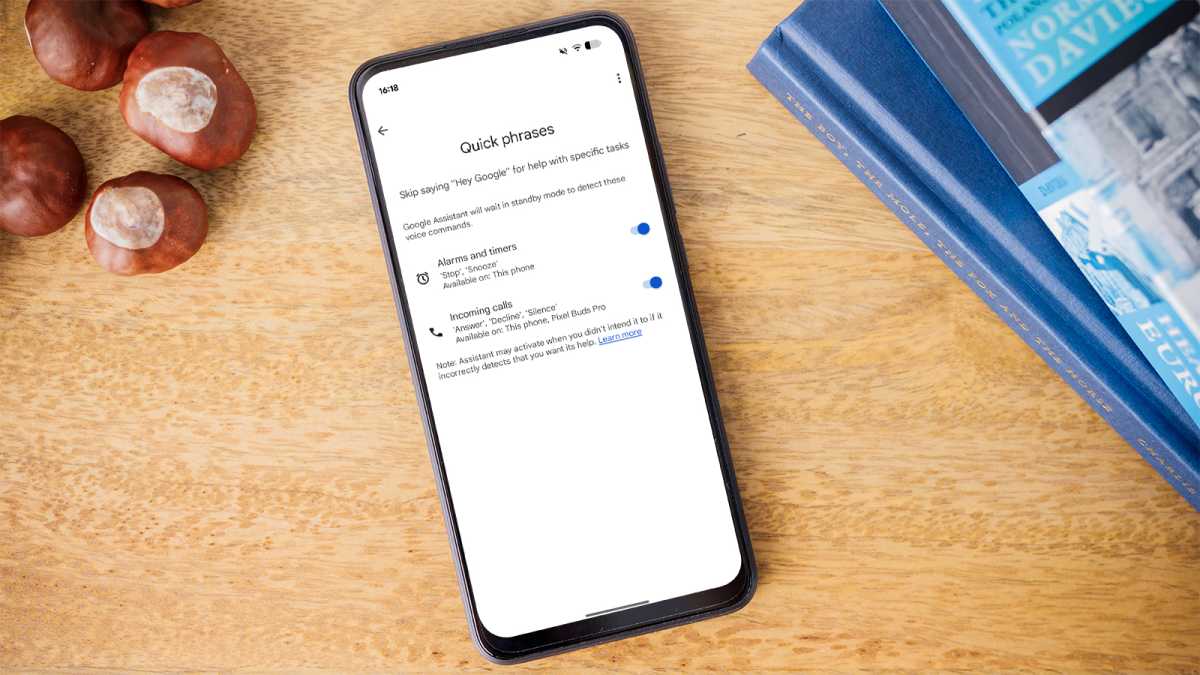
Foundry
You can use it to answer, decline or silence calls, dismiss timers, and snooze alarms. Once I finally got it sorted out (make sure that both the phone system language and Gemini language are set to US English), it worked brilliantly.
Now it’s set up, I can see myself using Quick Phrases on a regular basis. However, it’s worth noting that Samsung has a similar feature known as ‘Talk to Bixby without wake-up’. It’s one of the few things that Bixby is actually useful for.
Verdict: Not exclusive to Pixel, but a brilliant feature
5. Flip to Shh
Flip to Shh has been a thing on Pixel phones since back in 2018, but to be honest, I’d forgotten it existed. It’s been a very useful rediscovery.
Flip to Shh: A pleasant surprise
As the name suggests, putting your phone face down on a table or other flat surface will automatically enable Do Not Disturb mode, silencing incoming calls and notifications. Then, when you pick up your phone again, everything returns to the way it was.
Of course, there’s no way to know it’s actually been activated unless you have haptic feedback. As someone who generally hates haptics on my phone, I was reluctant, but it was a pleasant surprise.
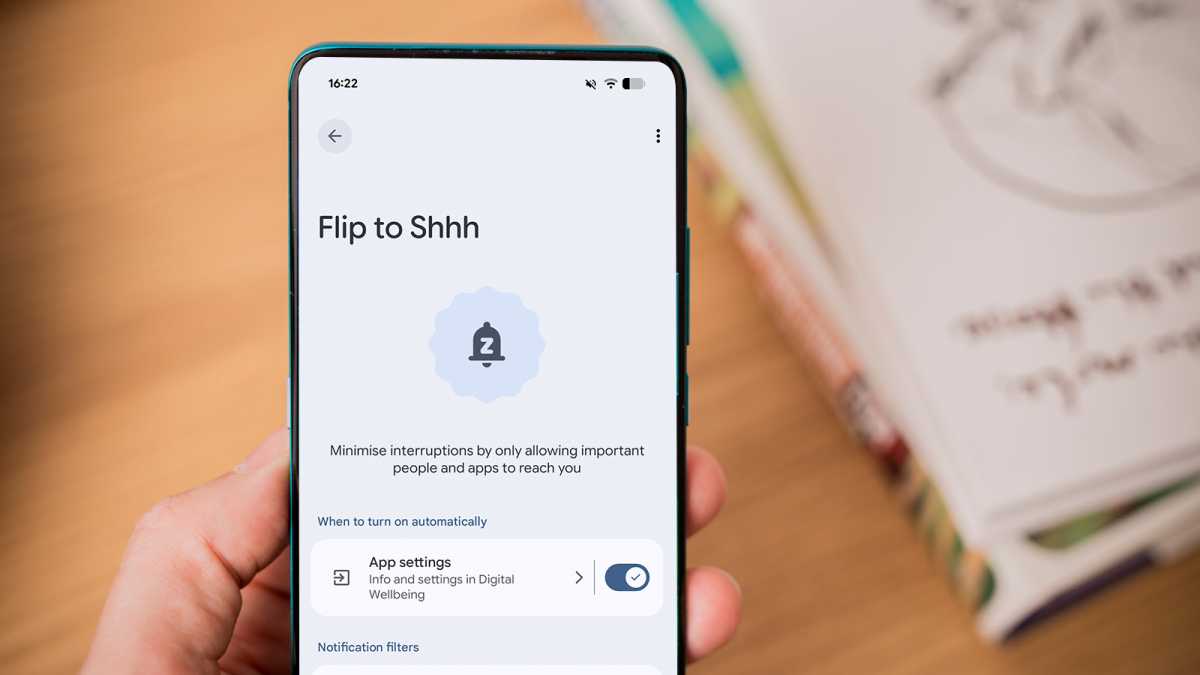
Foundry
The subtle vibration you get is just enough to put your mind at ease, and I can see it being useful in so many different situations. Meetings are the obvious one, but for a session of focused work, a trip to the cinema or basically any time I don’t want my phone distracting me. It’s incredibly easy to use and highly effective.
Now, I just have to remember not to accidentally put the phone face down when I’m expecting a call!
Verdict: Hidden, Pixel-exclusive and incredibly useful. Hurrah!
6. Now Playing
Another feature that has been very well-publicised over the years, so not exactly hidden. But Now Playing is turned off by default, so I suppose you could miss it.
Essentially, it’s a more seamless version of Shazam that automatically identifies songs playing in the background. Any time a song is recognised (in theory), it’ll tell you what it is and add it to a chronological list, allowing you to listen again easily.
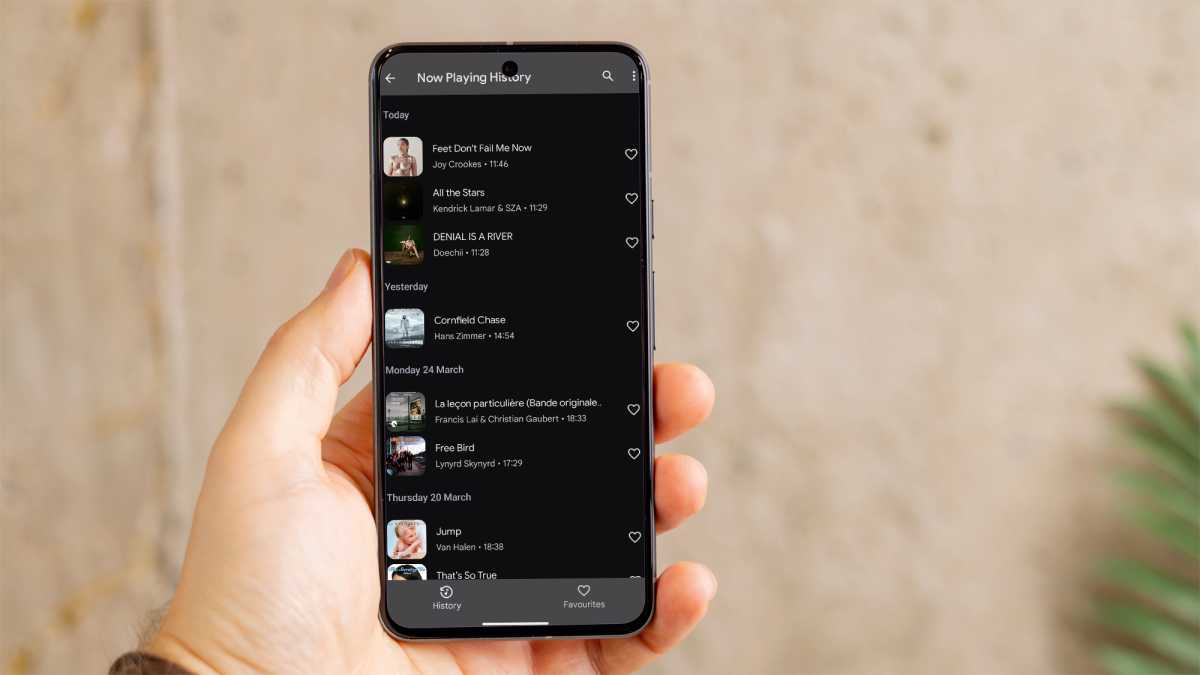
Dominik Tomaszewski / Foundry
The big advantage compared to Shazam is that it draws from a local database, meaning it works entirely offline. It also lives on your lock screen, meaning you can easily see what’s playing at a glance.
Every time I switch away from Pixel to test another phone, Now Playing is the feature I miss the most. Shazam requires you to be much more intentional and you need to be somewhere with a good internet connection. However, Now Playing does still miss songs at times, so don’t rely on it to accurately record a song you’re loving.
Verdict: Not necessarily hidden, but a killer Pixel-exclusive feature
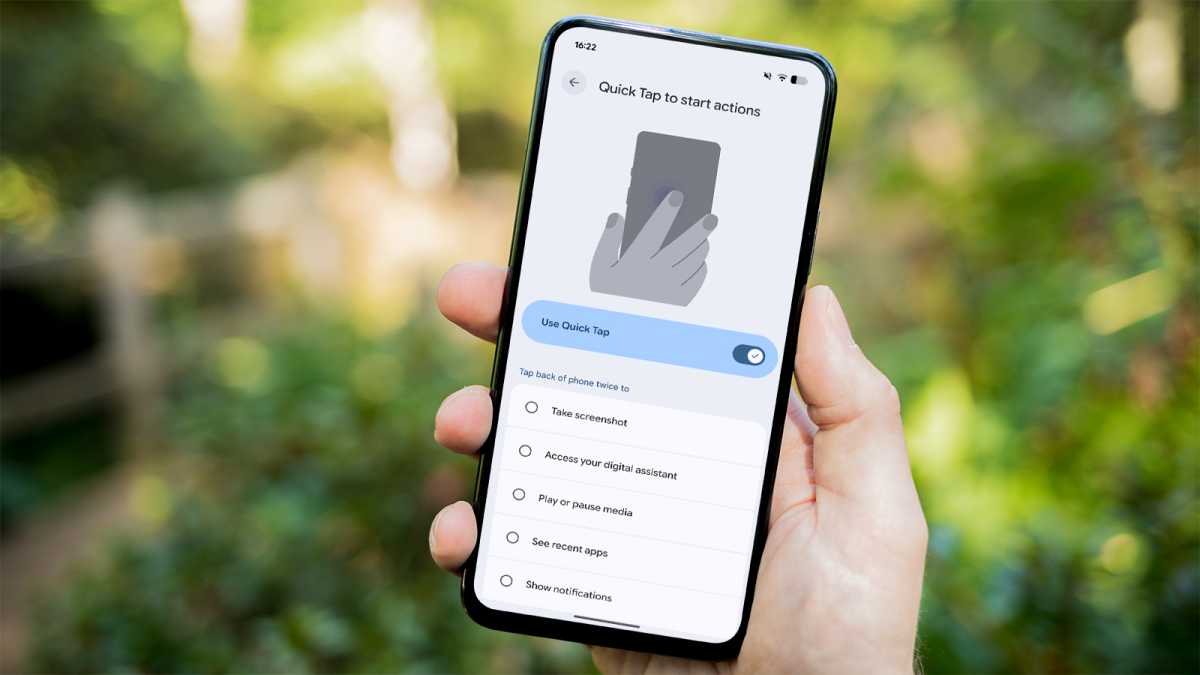
7. Quick Tap
Okay, Reddit is really onto something now. I had no idea that the Pixel had its own version of the iPhone’s Back Tap feature, though other Android phone makers have also copied Apple.
Quick Tap: A genuine game-changer
Quick Tap, as Google calls it, is impressively versatile. A double tap of the back of the phone to turn on the flashlight is very useful, but it can take screenshots, access Gemini, play/pause media, open the recent apps screen or show notifications if you’d prefer. It’ll even open any app you have installed on your phone.
Foundry
If you’re worried about accidentally triggering it, Google has an option to require a stronger tap. But I had the opposite issue – the specific location on the back of the phone can be hard to locate. Of course, it also won’t work unless you use your phone without a case.
But once you get used to it, it’s a genuine game-changer.
Verdict: Not exclusive to Pixel, but both hidden and very useful
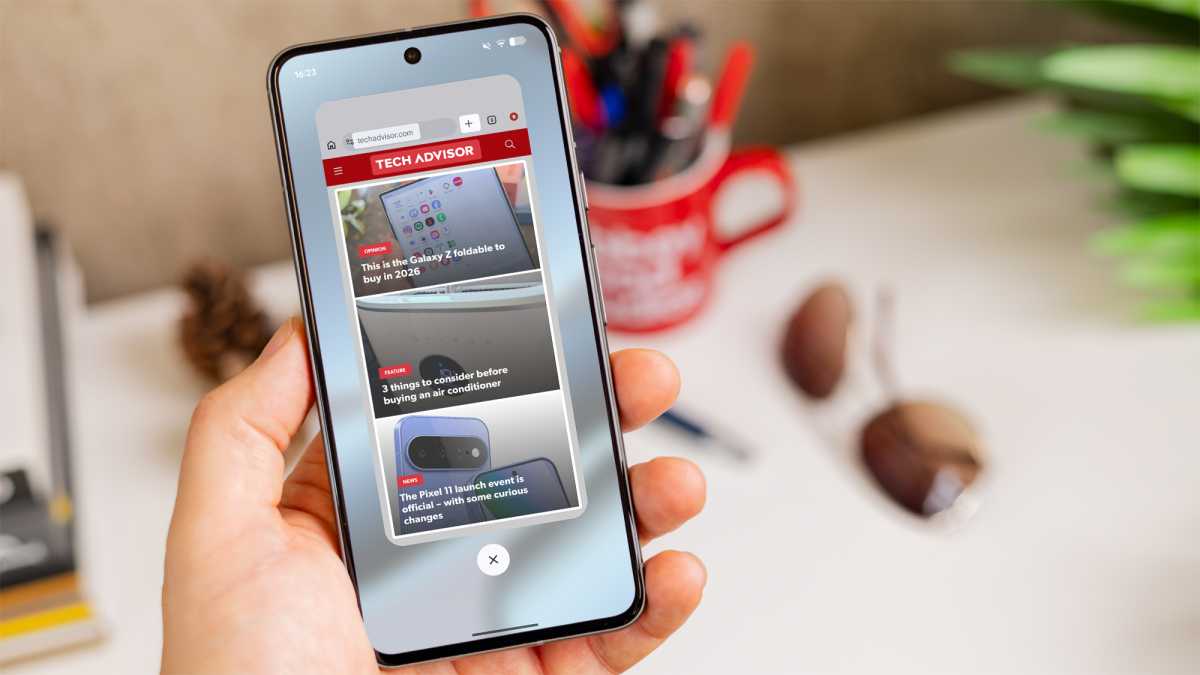
8. Overview Select
I can’t tell you how many times I’ve struggled to copy text from within an app. Many apps aren’t particularly user-friendly, and some even prevent you from copying at times.
Enter Overview Select, or “whatever the feature’s called where it will override any app and let you copy text from it letter by letter in the appswitcher mode”, as user ‘namerankserial’ describes it. This is honestly a perfect description – it dramatically simplifies what is often a major pain point.
Foundry
Prior to researching the article, I’d never even noticed the feature. Now, I can’t stop trying it out for all sorts of things. One Redditor mentions that many apps disable it, but I haven’t found one that isn’t working yet.
Verdict: Pixel-exclusive, hidden (to me anyway) and very useful
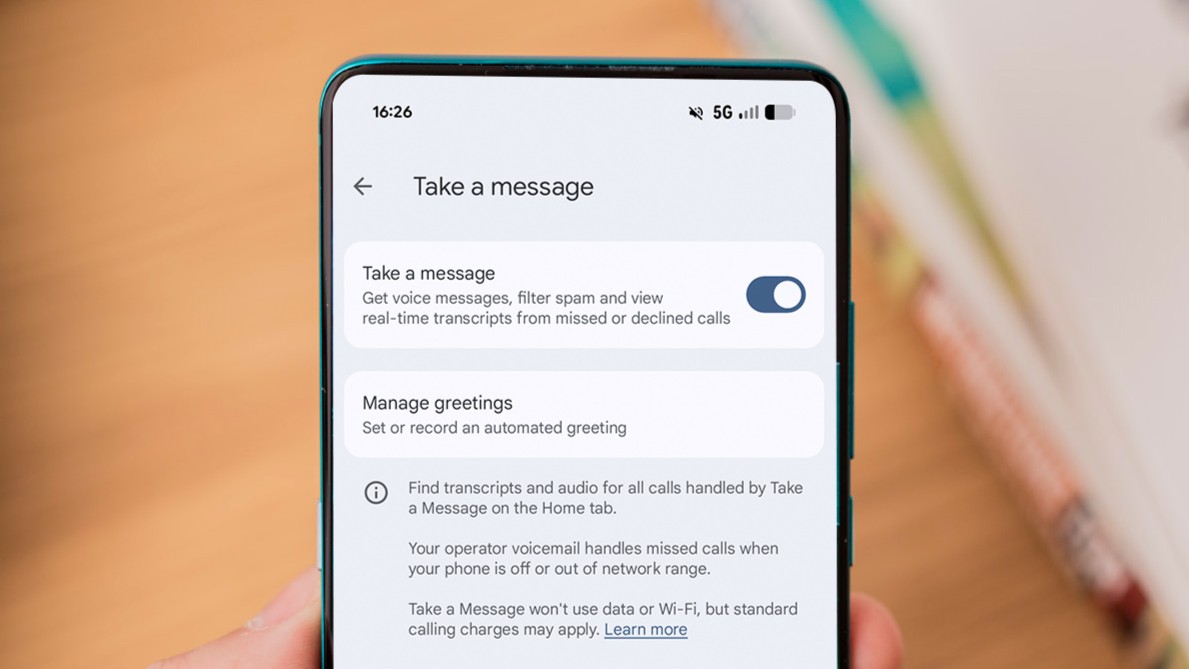
9. Take a Message
I can’t really get on board with a feature that’s on by default being described as ‘hidden’. In the case of Take a Message, this is the experience all recent Pixel owners in eligible regions will have.
But as someone who hates the traditional voicemail process, it’s a big upgrade. Usually, to access voicemail, you’d have to dial a specific number, wait ages for recordings to actually start playing, then remember what they’ve said as you decide whether to call back.
Take a Message: Still a Pixel exclusive
With Take a Message, you get a real-time transcription and audio recording that’s saved directly within the Google Phone app. When I used a Pixel phone daily, it was a massive time-saver, and I’d forgotten how much I missed it.
Foundry
It’s still a Pixel exclusive at the time of writing, but looks set to roll out more broadly soon.
Verdict: Not hidden, but a brilliant Pixel-exclusive feature
10. Direct My Call
Until I spotted this thread, I hadn’t fully explored all of the Pixel’s calling features. I (wrongly) assumed that most of them were only available in the US, meaning I was missing out on some great tools.
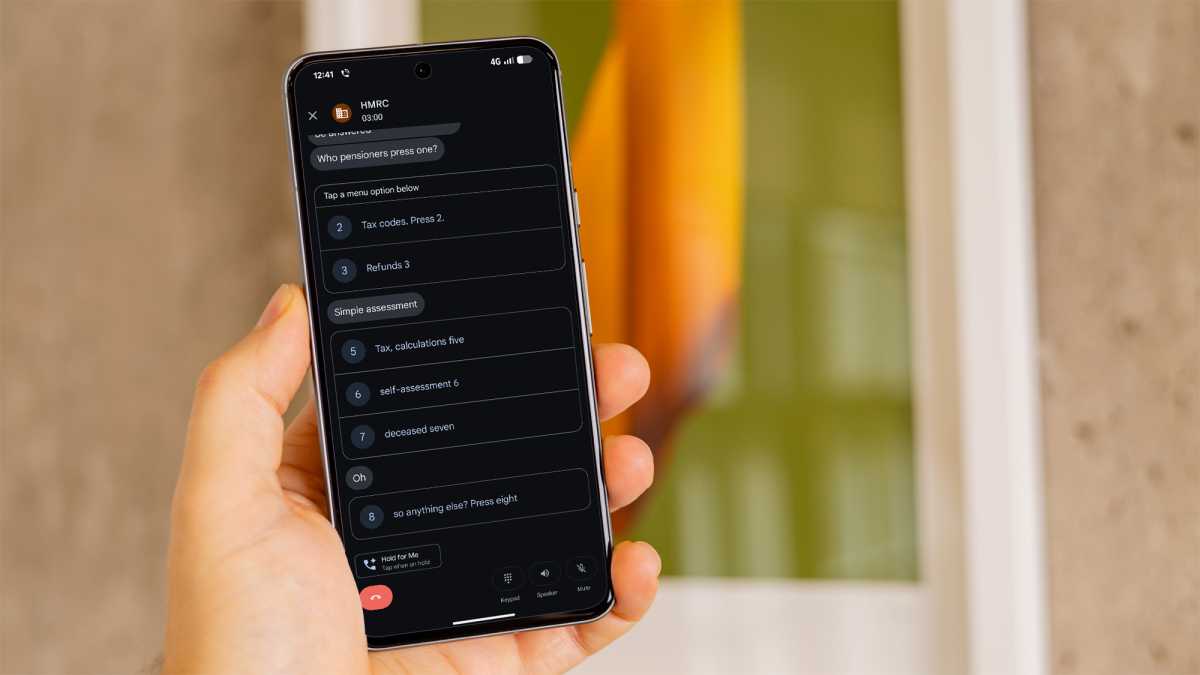
Among them is Direct My Call, though admittedly, it’s limited to the UK and US and the English language. It’s designed for those long, tedious menus when you call a business or organisation and are taken through a seemingly never-ending list of options.
In theory, Direct My Call makes things much easier, all the options in real time and generating buttons for you to easily tap each one.
Foundry
However, my experience was underwhelming. Admittedly, the British accent dictating to me wasn’t the easiest to understand, but transcription was patchy, and two of the eight options were left off entirely. To be honest, the old-fashioned method of tapping a number on the keypad would’ve been easier.
Direct My Call may well be more effective with other accents, but you can’t expect a completely clear voice every time you call a company. For that reason, I can’t see myself using it on a regular basis.
Verdict: Not reliable enough to be useful
An antidote to the anti-Pixel sentiment
If you read most posts on the Google Pixel subreddit, you’d think that Pixels were the worst smartphones that ever existed.
In the case of the Pixel 10 Pro XL, the reality is the exact opposite – it remains Tech Advisor’s recommended best phone you can buy, almost a year after launch. There’s a strong possibility that one of the four upcoming Pixel 11 handsets could replace it.
That’s not to say that they’re perfect, and I don’t doubt that any of the people complaining on Reddit have had a bad experience. But it’s an important reminder that Google is getting a lot right with its smartphones – including including plenty of great features that you won’t find elsewhere.