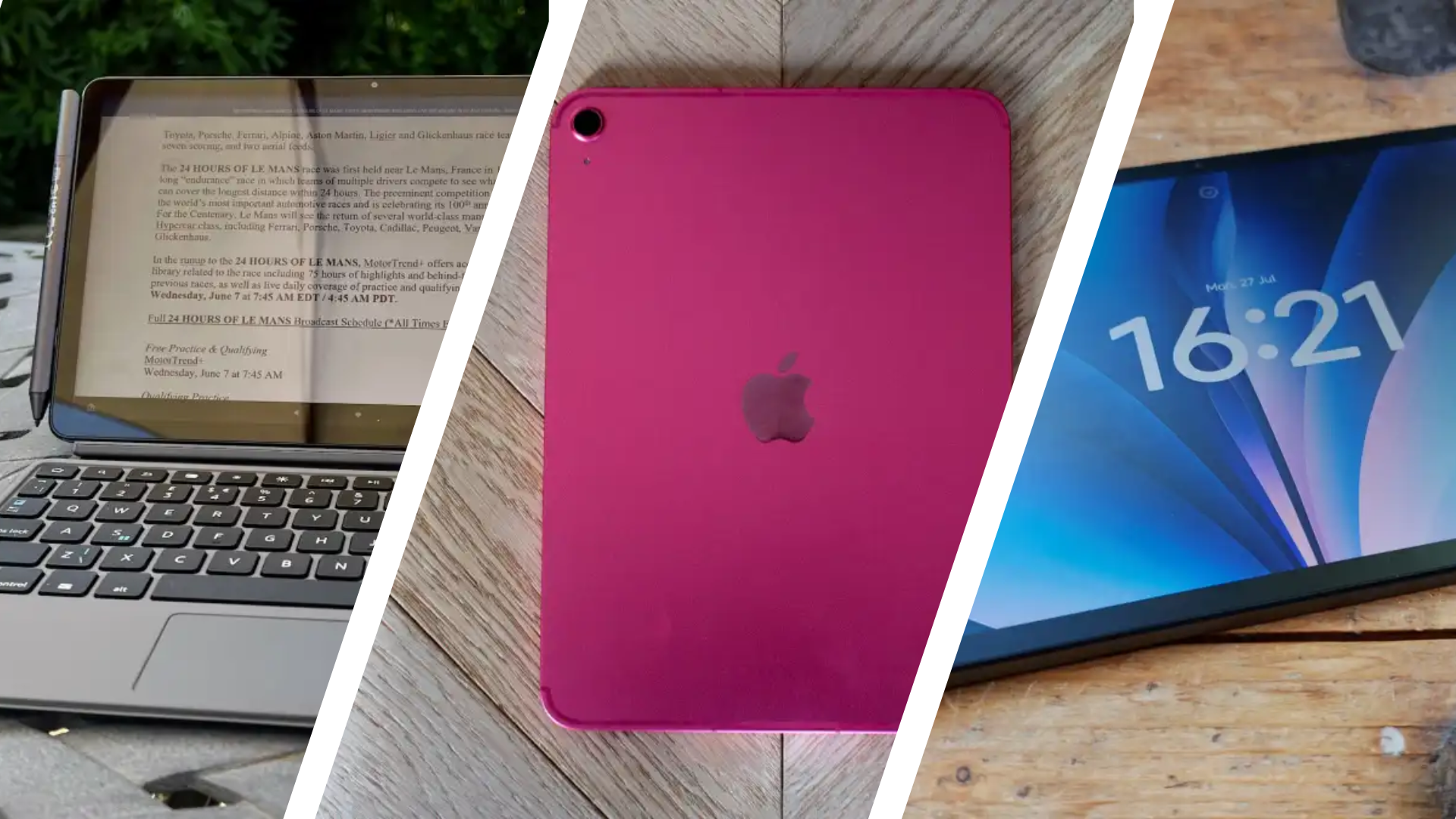
The top budget tablets: Affordable tablets for work and streaming
Although there’s often so much chatter about high-end tablet options from the likes of Apple or Samsung, the industry has come such a long way in recent years that it’s now possible to get certain features on the best budget tablets that were once locked away to more premium picks.
While there’s definitely some compromise involved as you have to decide which features you prioritise the most, you can now get a great budget tablet for everything from entertainment to productivity, reading and even a bit of gaming. Whatever it is you have in mind, you’ll be able to find it from our ongoing ranking of the best budget tablets to buy.
Informed by the testing of our tech experts, all of the options featured on this list are recommended purchases, and we’ve broken them down into the areas they excel in so you can get straight to the budget tablet that best suits your needs. We’ve also made sure that most of the tablets featured don’t cost more than £300/$300, but there might be the odd small exceptions, including the most recent entry-level iPad for those who simply have to have an Apple device.
Given the sheer amount of budget tablets that get released in any given year, these rankings are subject to change quite a bit throughout 2026, so make sure to check out the section at the end regarding any upcoming news or launches you should be aware of. If you decide that you’d rather save up to get a more powerful device then our guides to the best tablets and the best Android tablets have you covered.
Best early Prime Day budget tablet deals
The October Prime Day sale is almost upon us, and if you’re thinking about delving into some much-needed retail therapy, then you can check out our full coverage for the event. Until the sale itself (6-7th), there are a few early deals on cheap tablets:
UK
- Samsung Galaxy Tab A11+ – £188.97 (24% off)
- Amazon Fire HD 10 – £84.99 (47% off)
- Amazon Fire HD 10 Kids – £114.99 (43% off)
- Amazon Fire Max 11 – £169.99 (41% off)
- Amazon Fire HD 8 – £64.99 (48% off)*
- Lenovo Idea Tab – £176 (34% off)
US
- Amazon Fire HD 10 – $72.99 (53% off)*
- Amazon Fire HD 8 Kids Pro – $89.99 (47% off)*
- TCL Nxtpaper 11 Plus – $239.98 (35% off)*
*Lowest price seen on Amazon
Best budget tablet reviews
1. Xiaomi Redmi Pad 2 – Best Overall
Pros
- Sleek design
- Decent screen
- Excellent quad speakers
- Solid battery life
Cons
- Slow charging
- Basic cameras
- Software quirks
Price When Reviewed:
From £169
Best Prices Today:

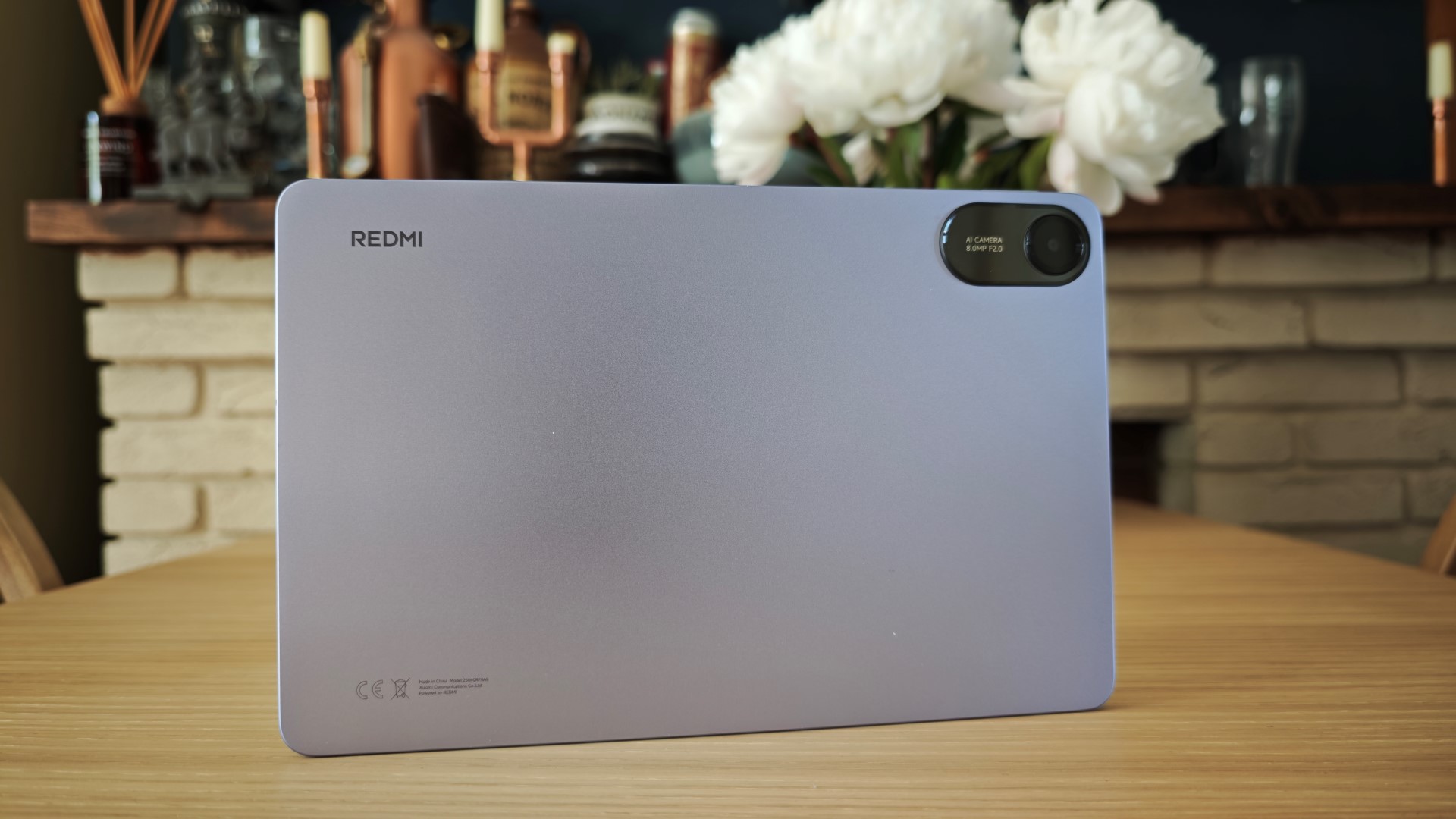
You might know Xiaomi’s Redmi line from the world of budget smartphones. But with the Redmi Pad 2, we’ve seen just how good its tablets can be.
Despite costing just £169 in the UK (sadly not available in the US), it offers plenty of compelling features. You can look forward to a premium-like design that feels a lot more expensive, a solid 11-inch, 90Hz display and a superb quad speaker system. Throw in decent performance and solid battery life, and you’ve got yourself an excellent all-rounder.
Compromises are inevitable at this price, and here they come in the form of just 18W charging, hit-and-miss Xiaomi software and basic cameras that don’t offer much.
But when you’re paying so little and getting so much, it’s easy to recommend the Redmi Pad 2 to pretty much everyone.
Who should buy the Xiaomi Redmi Pad 2?
Anyone looking for a solid budget tablet that gets almost all the basics right.
Xiaomi Redmi Pad 2: Further considerations
Look elsewhere if you care about top-tier software or fast charging. Expect our review for the Redmi Pad 2 Pro in due course.
2. Samsung Galaxy Tab A11 – Best Small Design
Pros
- Stylish & highly portable
- 90Hz refresh rate
- 7 years of software support
- Even cheaper than before
Cons
- Painfully slow charging
- Basic cameras
- Some bloatware
Price When Reviewed:
From £149
Best Prices Today:
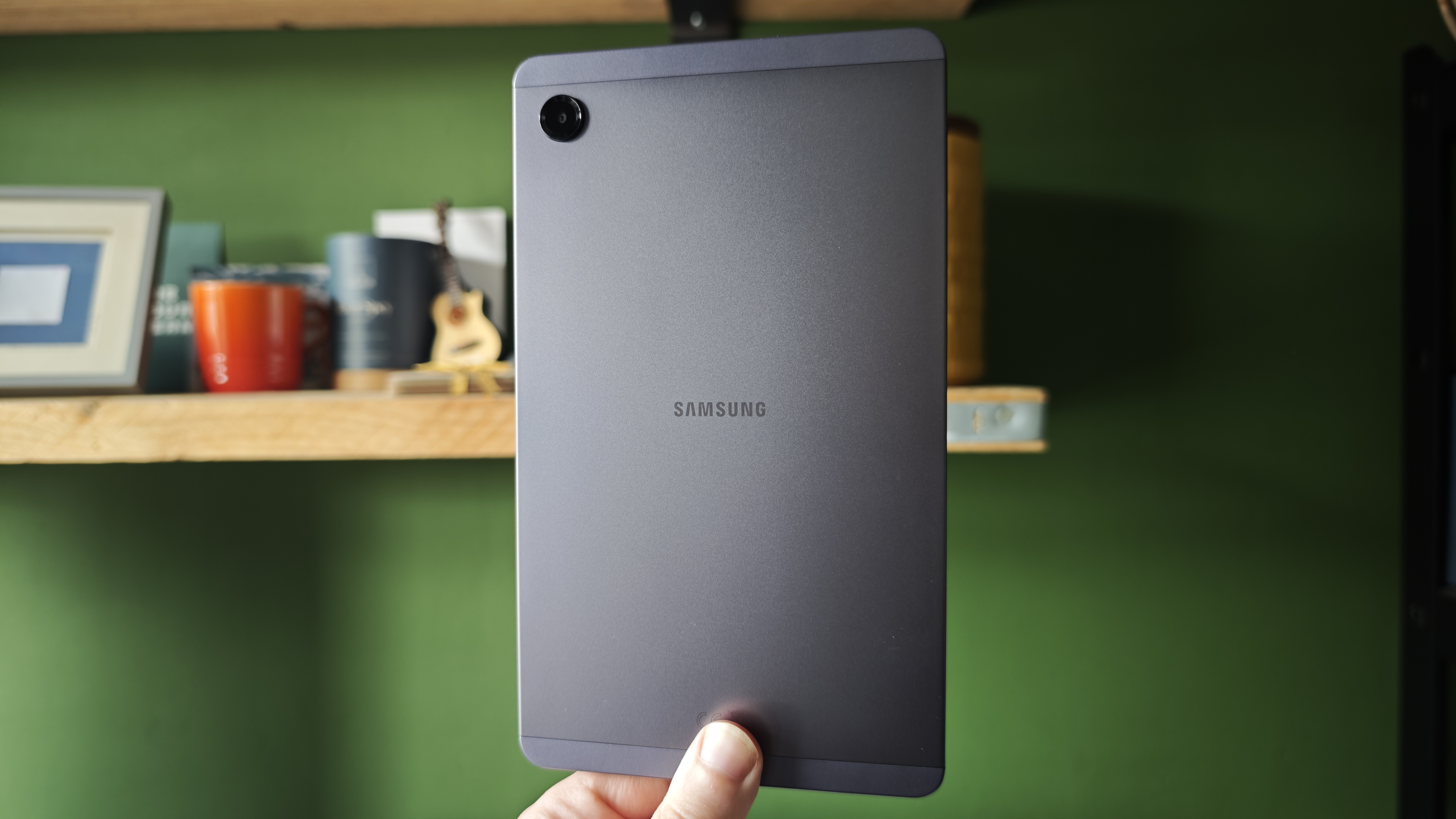
Two years after one of our favourite budget tablets ever, Samsung has replaced the Galaxy Tab A9 with the Tab A11 (there was no A10) and you’d be forgiven for thinking I forgot to change the photo here.
The new model looks identical because Samsung has used the exact same chassis, though this means it’s still super compact and lightweight – and still stylish.
Much of the spec sheet is the same, too, but the Galaxy Tab A11 comes with a few upgrades in key areas as well as a price reduction, which is rare these days.
The screen now has a higher refresh rate (previously reserved for the + model) for smoother interactions, the front camera quality is better for video calls (though is still fairly basic) and you now get a whopping seven years of software support, including OS versions, which matches flagship devices.
Considering that cheap tablets this size are rare, we can forgive how similar the device is to its predecessor, thanks to the improvements and cheaper price.
Who should buy the Samsung Galaxy Tab A11?
Anyone looking for a cheap tablet that’s highly portable.
Samsung Galaxy Tab A11: Further considerations
Consider the higher spec model for double memory and storage, therefore, better performance over time. Look elsewhere, including the A11+, for a larger screen.
Read our full
Samsung Galaxy Tab A11 review
3. Apple iPad (A16) – Best for Apple Users
Pros
- Great performance for the basics
- Lovely and lightweight design
- Good battery life
- Double the storage of the predecessor
Cons
- No anti-reflective display
- Slow charging
- Accessories not included
- Doesn’t work with Apple Pencil Pro
Price When Reviewed:
£429 (was £329)


So we’re breaking the rules slightly with one, as Apple’s entry-level iPad carries a price tag of £329/$349 and upwards, which is above the £300/$300 limit we set for entries into this article. But the reason why this iPad gets a pass is that it can regularly be found at a price just below that.
At almost every major sale, we’ve seen significant discounts for the iPad (A16), so if you ever spot it at full price, it’s unlikely that you’ll have to wait for long before another discount appears.
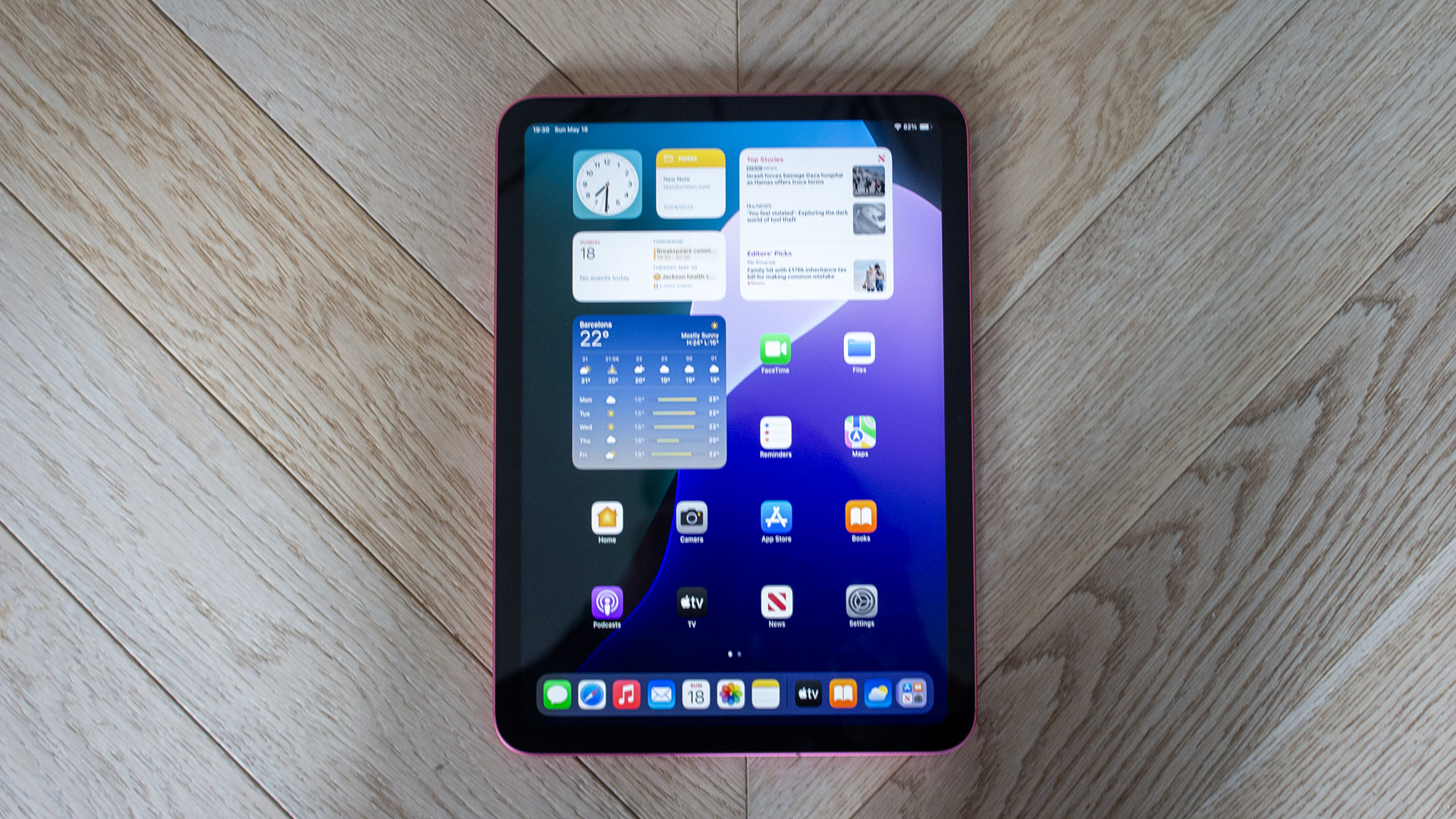
What’s impressive is even at its full RRP, the iPad (A16) is something of a bargain given that you’re still getting the same core iPadOS experience that you can enjoy with the iPad Air and the iPad Pro, but for a lot less. This includes intuitive multitasking (something that’s only been improved with iPadOS 26), exclusive Apple apps and seamless connectivity with devices like your AirPods.
In fact, multitasking works so well on the iPad (A16) that if you want to use it as a productivity device, you can absolutely do that (within reason). The large 11-inch display works well for typing up documents or kicking back with a bit of Netflix, and the stereo speakers onboard carry a surprising amount of depth for a tablet of this size.
While the A16 chipset does a solid job with everyday performance, it is unable to run Apple Intelligence, and so the iPad won’t be privy to any of Apple’s AI-focused updates in the future. Still, given that Apple Intelligence has a long way to go before reaching the heights of Google Gemini or Galaxy AI, it doesn’t take away from everything that makes this iPad great.
Who should buy the iPad A16?
Apple users who want a simple tablet for productivity and entertainment.
iPad A16: Further considerations
It’s not compatible with Apple Intelligence or the Apple Pencil Pro.
Read our full
Apple iPad (A16) review
4. Xiaomi Redmi Pad 2 Pro – Best Display for Outdoor Use
Pros
- Gorgeous optional Matte Display
- Amazing battery life
- Brilliant quad speakers
- Face unlock
Cons
- Basic cameras
- Processor isn’t ‘pro’
- Limited brightness
Price When Reviewed:
From £299
Best Prices Today:
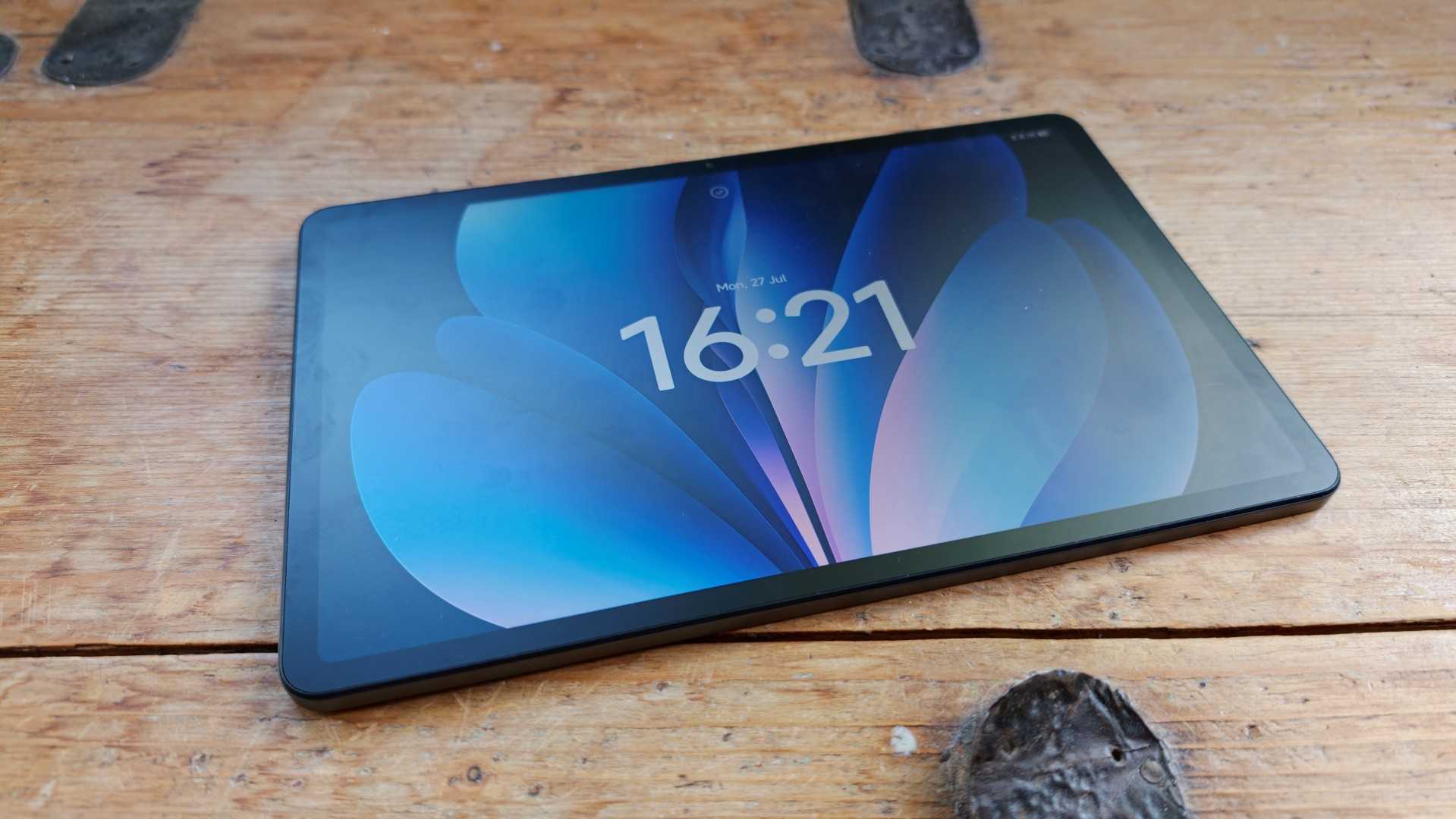
We were already massively impressed with the Xiaomi Redmi Pad 2 when that came to market, as it completely showed up Samsung by offering more bang for your buck in pretty much every category. Well, that sentiment only continues with the Xiaomi Redmi Pad 2 Pro to the point where, if you’re thinking about picking up the entry-level iPad A16, it’s probably worth considering the Pad 2 Pro instead, so long as you don’t mind siding with team Android.
Easily the biggest upgrade here is the addition of an optional matte-finish display which acts as a coating to dispel reflections. It’s a great bit of tech, especially as it makes the tablet much easier to use when outdoors or in a cafe where there’s a lot of natural light pouring in, but the fact that you can get it on a tablet that’s this affordable is mindblowing. For context, you can only find it on Apple’s range by opting for the premium-level iPad Pro.
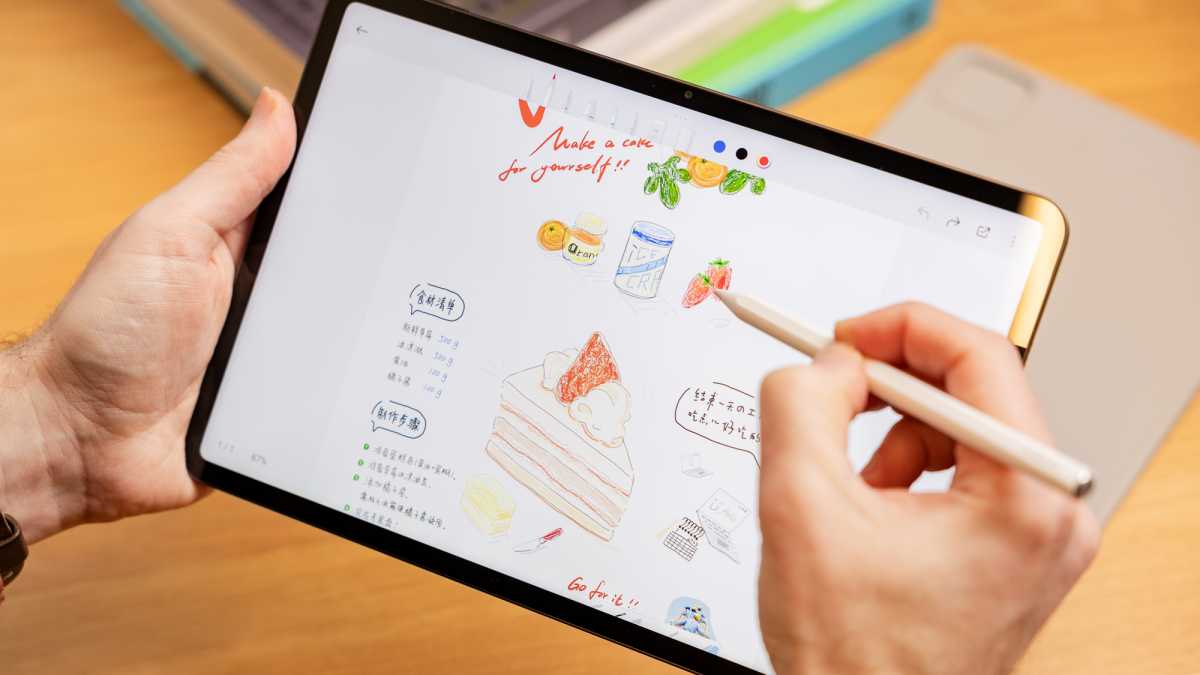
The matte display is also more conducive to digital notetaking and drawing, as using the included magnetic stylus feels more closely in line with using pen and paper. The one downside to having a matte display however is that it doesn’t appear as bright as a normal display, so you may find yourself cranking up the brightness more often than not to compensate.
Still, it’s a small downside when you consider that the tablet packs a massive 12,000mAh battery. With such a huge cell onboard, the Redmi Pad 2 Pro can work brilliantly as an all-day device. During a single charge you can browse the web, respond to emails, catch up on a few episodes of your favourite show and still have juice left in the tank.
Who should buy the Xiaomi Redi Pad 2 Pro?
If you’re likely to use a tablet outdoors more often than not.
Xiaomi Redi Pad 2 Pro: Further considerations
The matte display version, while great, isn’t as bright as other tablets.
Read our full
Xiaomi Redmi Pad 2 Pro review
5. Amazon Fire Max 11 – Best for Productivity
Pros
- Nice screen
- Optional keyboard and stylus
- Great handwriting recognition
- Good performance
Cons
- Limited selection of apps
- No Google
- Only 64GB base storage
Price When Reviewed:
From £249.99

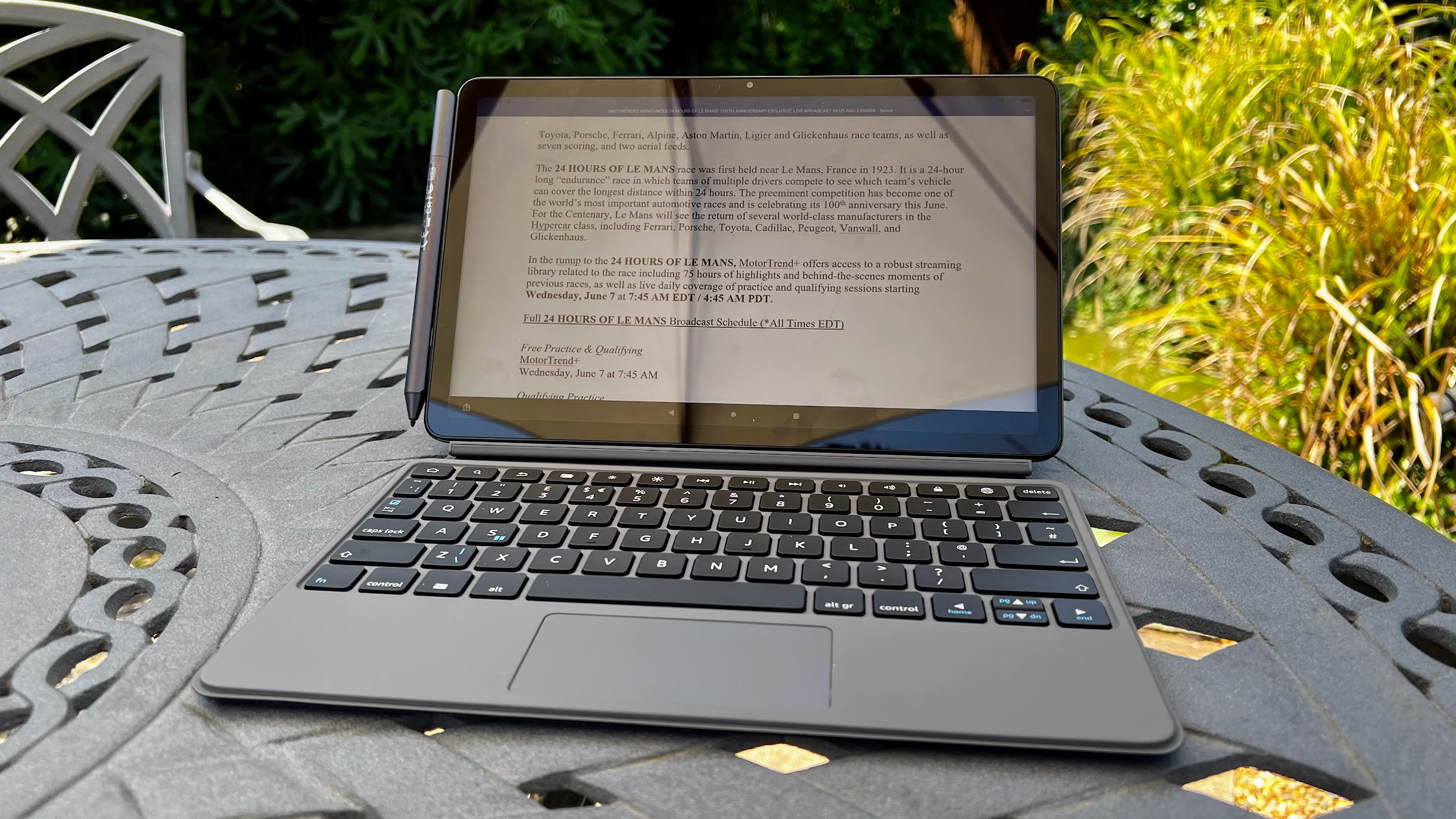
Amazon has a lot of great affordable tablets within its Fire range, but if you’re a productivity user who needs a tablet that can ideally work as a laptop replacement on occasion then the Amazon Fire Max 11 is the easy one to go for. This tablet has been designed specifically with work in mind as there’s an optional stylus and keyboard case made for the Fire Max 11 which we recommend picking up in order to make the most out of it.
The keyboard in particular feels nice and tactile, so if you want to draft up some reports in Google Docs or shoot off some emails in Outlook, you can do that here. Of course, because this is a tablet, it can also work better as an entertainment device than a typical laptop. You’ve got quick access to streaming apps like Disney+ and Netflix, and the stereo speakers do a great job of projecting audio, so you don’t immediately need to reach for a pair of headphones if you’re watching something at home.
The 11-inch 2K screen is also a joy to use, as it’s wide enough to let documents sprawl out, but the detail from that resolution also means that you’re getting a great reading experience too. Throw in the fact that the battery can last for up to 14 hours at a time and it’s hard to argue with the Fire Max 11 as a whole, especially when you can usually pick it up massively reduced during any of Amazon’s Prime Day sales events.
The one area where the Max 11 does fall behind its closest competitors is in app support. Because all Fire tablets use Amazon’s own-brand Fire OS, you don’t have access to the Google Play Store which means that you can’t natively install key Google apps like Docs, Drive or Gmail. Instead, you’ll have to access them via the built-in web browser. It’s definitely a trade-off, but when you consider that the Fire Max 11, with all its accessories, is cheaper than buying an iPad with an Apple keyboard and Apple Pencil, it’s worth considering as an alternative.
Who should buy the Amazon Fire Max 11?
Productivity users who are tied to a budget.
Amazon Fire Max 11: Further considerations
Without the Google Play Store, you’re limited in the type of apps you can download.
Read our full
Amazon Fire Max 11 review
6. Samsung Galaxy Tab A11+ – Best Big Screen Samsung
Pros
- Excellent seven-year software support
- Clean, proven design
- Solid quad speakers
- Reliable performance
Cons
- Display struggles off-angle
- Arguably overpriced given the competition
- Still no fingerprint sensor
Price When Reviewed:
From £249
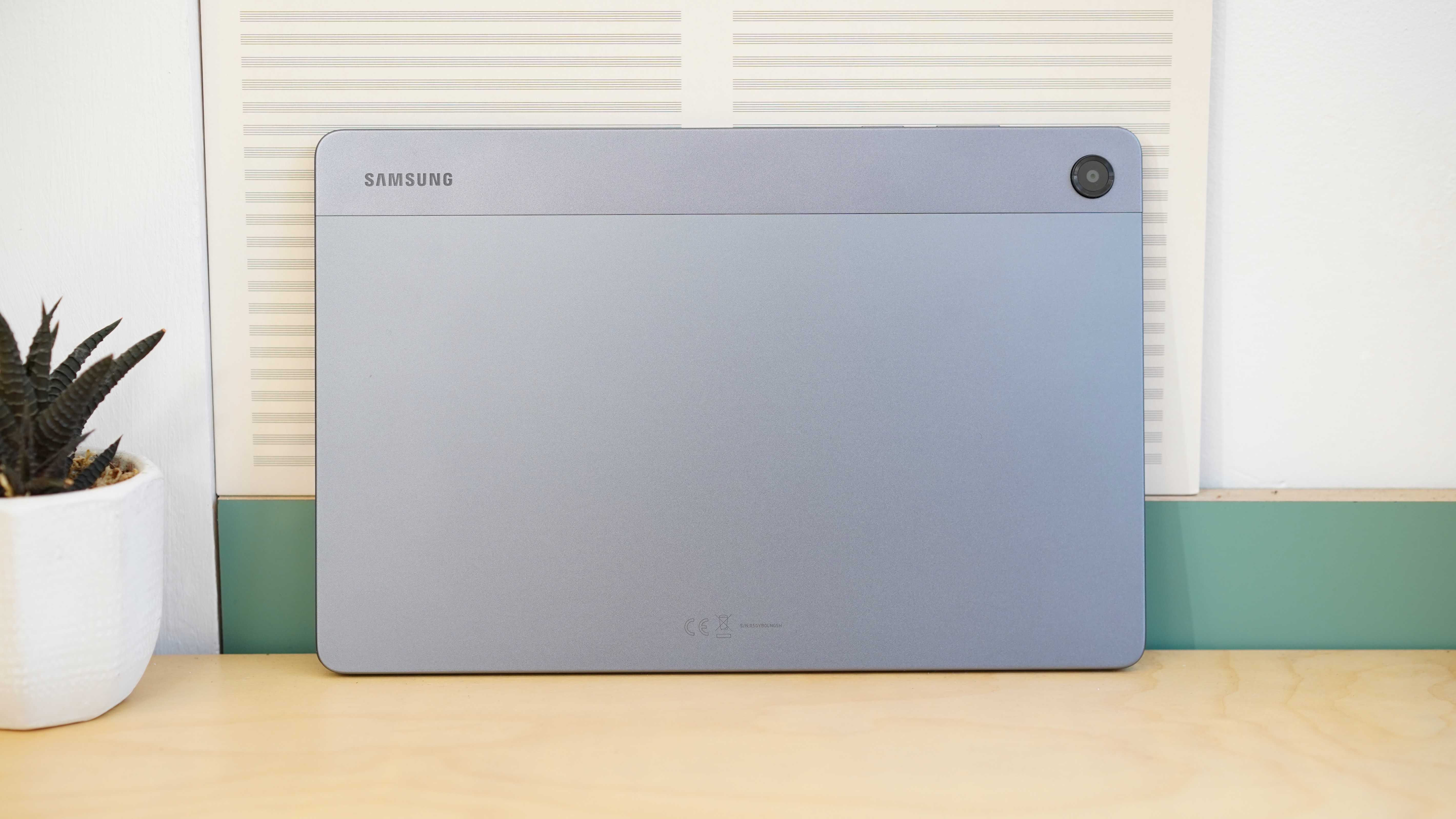
The Galaxy Tab A11+ is an underwhelming update which adds very little to the overall experience. But the Tab A9+ was already such a solid device that its successor is undoubtedly worthy of inclusion.
Essentially, the upgrades boil down to improved performance, slightly better battery life and more storage, making it a more well-rounded device.
Of course, the main selling point compared to the regular Tab A11 is its larger 11-inch LCD display, which is a real highlight. When combined with impressive audio from the quad speaker system, it’s ideal for watching movies and TV.
The familiar design still does the job, while Samsung’s One UI 8 software is well-suited to tablets. A seven-year software update promise means the Tab A11+ is future-proofed, too.
A fingerprint sensor is one upgrade I’d have loved to see, but there are no real dealbreakers here. The Tab A11+ is a reliable budget slate that should stand the test of time.
Who should buy the Samsung Galaxy Tab A11+?
Anyone looking for a big-screen budget tablet with great software.
Samsung Galaxy Tab A11+: Further considerations
The regular Tab A11 is cheaper and still offers everything most people need in a budget Samsung tablet.
Read our full
Samsung Galaxy Tab A11+ review
7. Lenovo Tab Plus – Best for Entertainment
Pros
- Great screen and speakers
- Useful built-in kickstand
- Superb battery life
- Durable yet sleek design
Cons
- Underwhelming performance
- Only two major OS updates
Price When Reviewed:
From £289.99



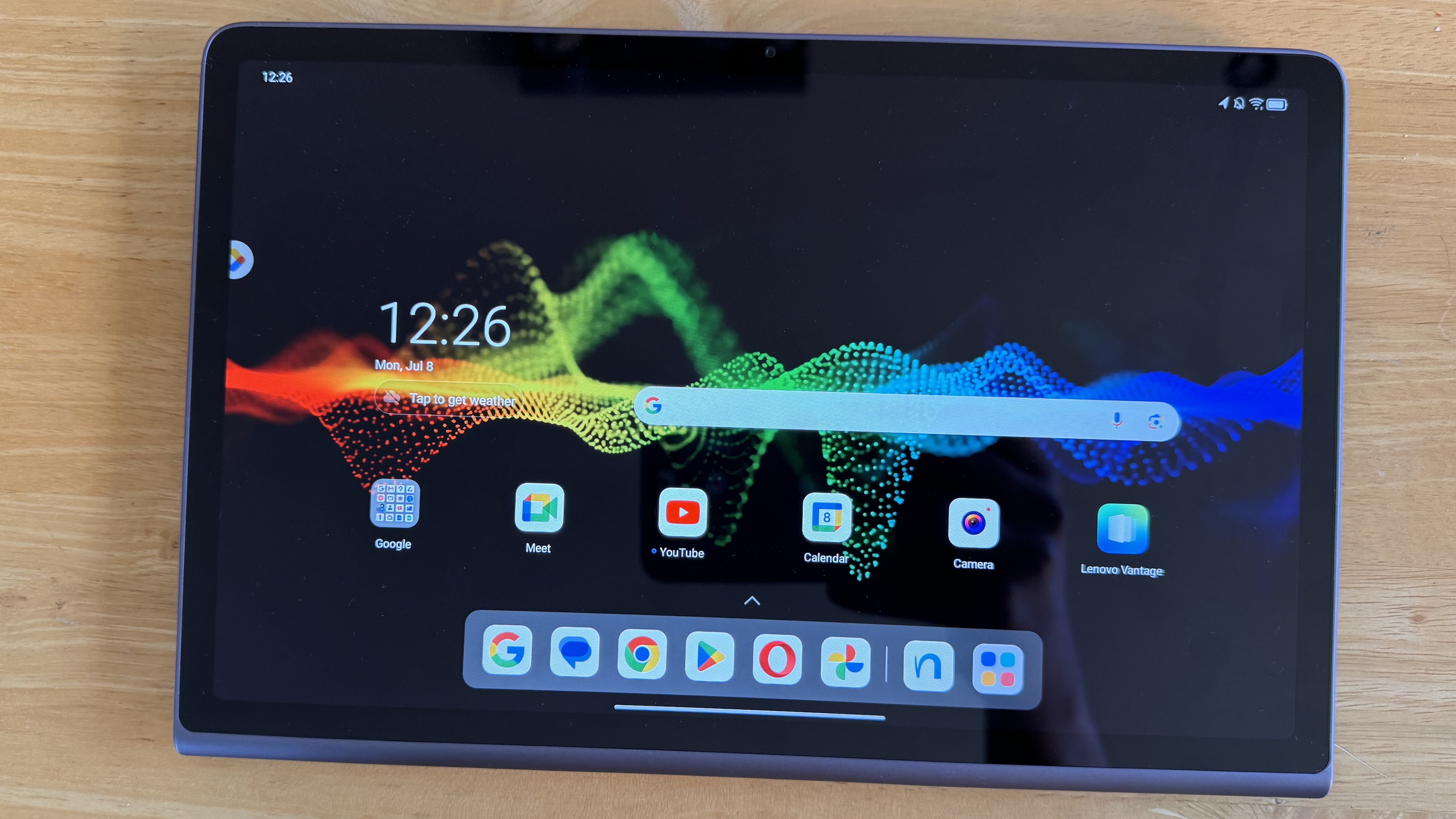
If you’re buying a budget tablet just for consuming content, as many people are, the Lenovo Tab Plus is a fine choice.
It excels at the fundamentals of a great video-watching experience, with a high-quality display (90H, FHD+, LCD) delivering rich colours and impressive brightness. It’s ably supported by eight JBL speakers, which deliver very solid audio across a range of scenarios.
Alongside a built-in kickstand for hands-free viewing and strong battery life, the appeal of the Tab Plus is there for all to see.
Unfortunately, the performance is compromised to the extent that it can’t go any higher in this list. And while general performance is good, software support is frustratingly limited.
Overall, the Lenovo Tab Plus is a compelling choice for entertainment, but best avoided if productivity or gaming are priorities for you.
Who should buy the Lenovo Tab Plus?
Anyone looking for a budget tablet that excels at watching TV and movies.
Lenovo Tab Plus: Further considerations
Look elsewhere if you need a device for productivity or gaming.
8. Amazon Fire HD 8 Kids Pro (2024) – Best for Kids
Pros
- Attractive, slim design
- Decent display
- Good child-friendly features
- Affordable price
Cons
- Poor performance
- Software takes some getting used to
- Disappointing cameras
Price When Reviewed:
From £149.99
Best Prices Today:
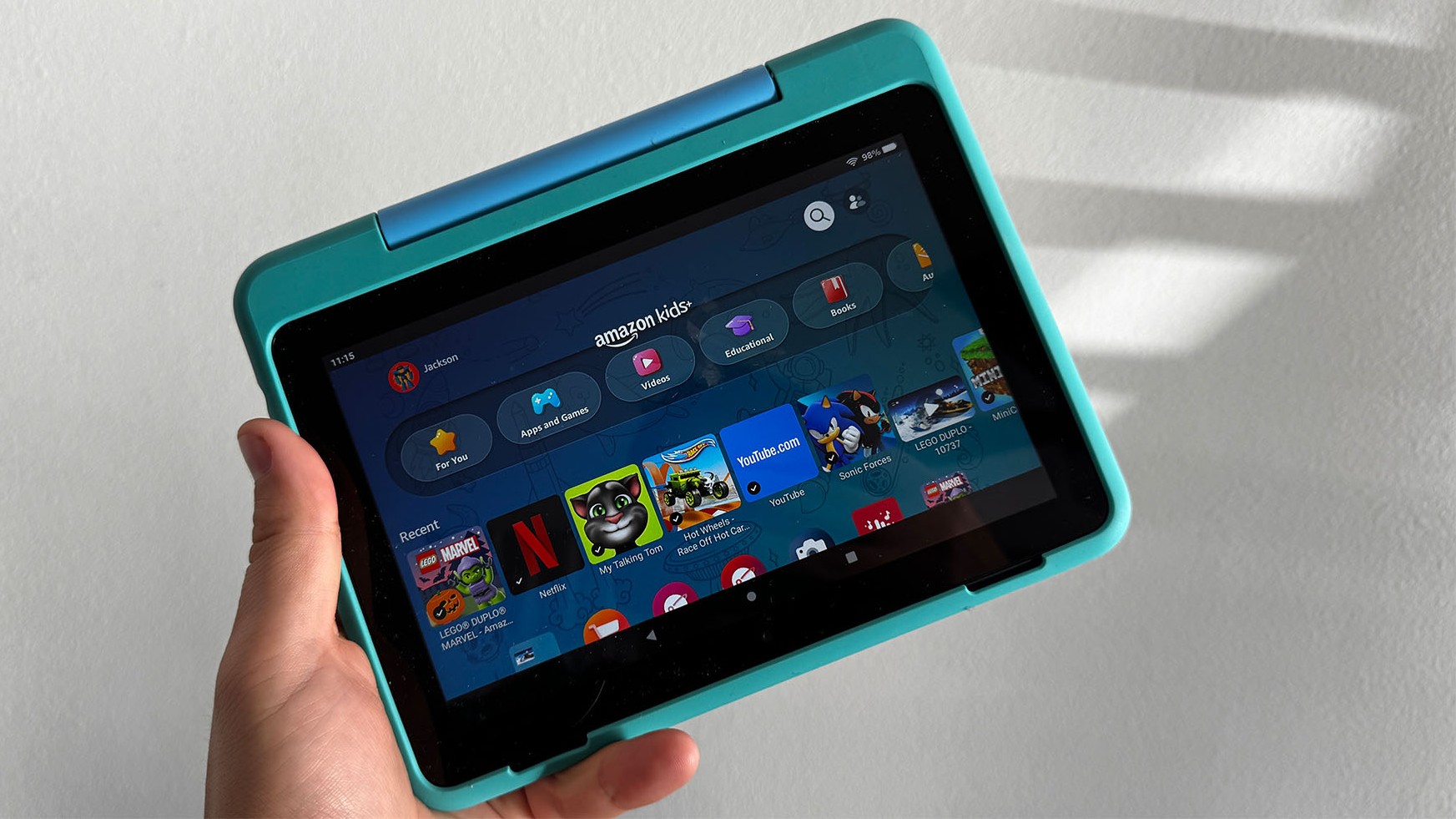
The Fire HD 8 Kids Pro adds a few child-friendly features to the familiar Amazon Fire tablet experience.
These include a commitment to durability, with an included protective case (available in several designs) and a two-year replacement guarantee. On the device itself, you also get robust parental control features to keep an eye on what your child (it’s designed for ages 6-12) is up to and set limits.
However, to get the most out of it, you’ll need a subscription to Amazon Kids+, which offers access to a range of shows and games from the likes of Disney, Harry Potter, Marvel and Nickelodeon. After a free first year, it costs at least £4.99/$5.99 per month.
Elsewhere, all the usual Fire tablet limitations apply here, including a basic display, limited performance and a low-quality camera.
However, as you’re buying this for a young child, none of it matters too much. The Fire HD 8 Kids Pro performs well as a child-friendly tablet, which makes it easy to recommend.
Who should buy the Amazon Fire HD 8 Kids Pro?
Anyone looking for a simple tablet that’s suitable for young children.
Amazon Fire HD 8 Kids Pro: Further considerations
Look elsewhere for a ‘proper’ Android operating system.
Read our full
Amazon Fire HD 8 Kids Pro review
9. Amazon Fire HD 8 (2024) – Best under £100/$100
Pros
- Good battery life
- Handy Micro-SD slot
- Clean design
- Compact and comfortable
Cons
- Limited performance
- Nearly unusable camera
Price When Reviewed:
From £99.99 | From £109.99 without ads
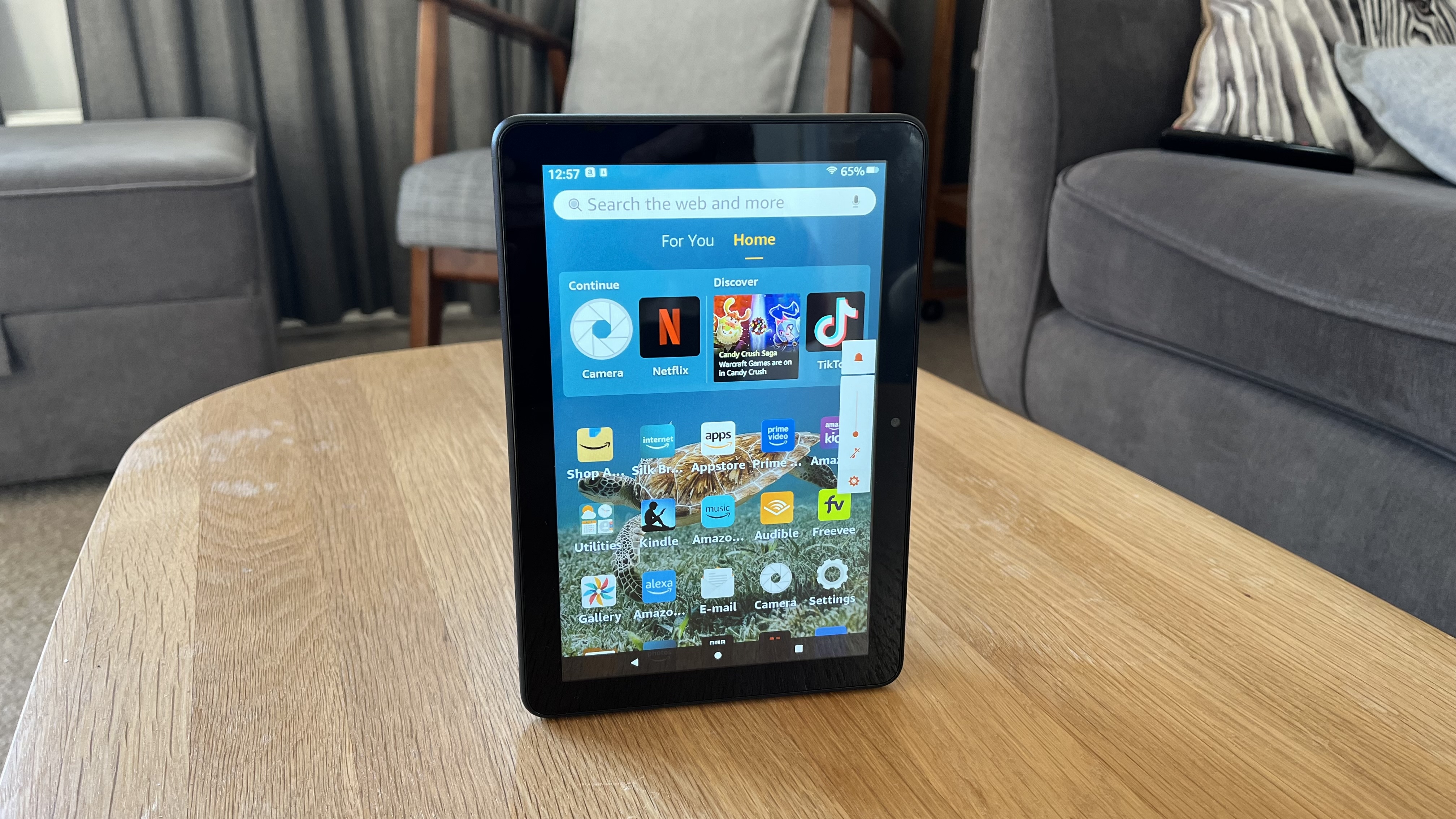
When you buy a Fire tablet, you have to be aware of the compromises that come with it. When it comes to the latest Fire HD 8, that’s the basic performance and a rear camera you should pretty much never use, plus the usual limited app selection from the Amazon Appstore.
However, as a device for the basics, there are reasons to recommend it. The 8-inch display is decent for the price, battery life is strong, and the storage (starting at 32GB) can easily be expanded via a Micro-SD card.
It makes the Fire HD 8 an ideal device for watching TV and movies, casual gaming and reading e-books – especially via Amazon’s Kindle app. The software experience is also fairly user-friendly, though I’d highly recommend paying the extra £10/$15 to remove ads.
Another positive is the compact, lightweight design, which means you can take the Fire HD 8 almost anywhere with you.
Who should buy the Amazon Fire HD 8 (2024)?
Anyone looking for a compact tablet that’s suitable for young children or basic use.
Amazon Fire HD 8 (2024): Further considerations
Look elsewhere if you want more than basic specs or access to a full app store.
Read our full
Amazon Fire HD 8 (2024) review
Other budget tablets tested
Although the entries in this list make for great options for anyone shopping around the budget end of the market, if you want to try and stretch the value of your money even further, it’s worth considering previous-generation offerings from the bigger brands within this space.
For example, while the base-model iPad features here, you’ll also be able to get the 2022 iPad (which isn’t that much different) for even less if you shop around. We’ve also seen older iPad Mini models go for just a fraction of what they cost at launch.
The same logic can be applied to older Samsung tablets, as their value tends to drop more sharply than it does with Apple iPads. The Samsung Galaxy Tab A9 is over two years old now (halfway through its OS updates) and has been replaced with the Tab A11 – we recommend you get the new model.
Tom Bedford / Foundry
Alternatively, there are quite a few options that just miss the cut-off by being slightly too expensive for this list, but are still worth considering if you can stretch your budget just a bit further or you see a special offer price.
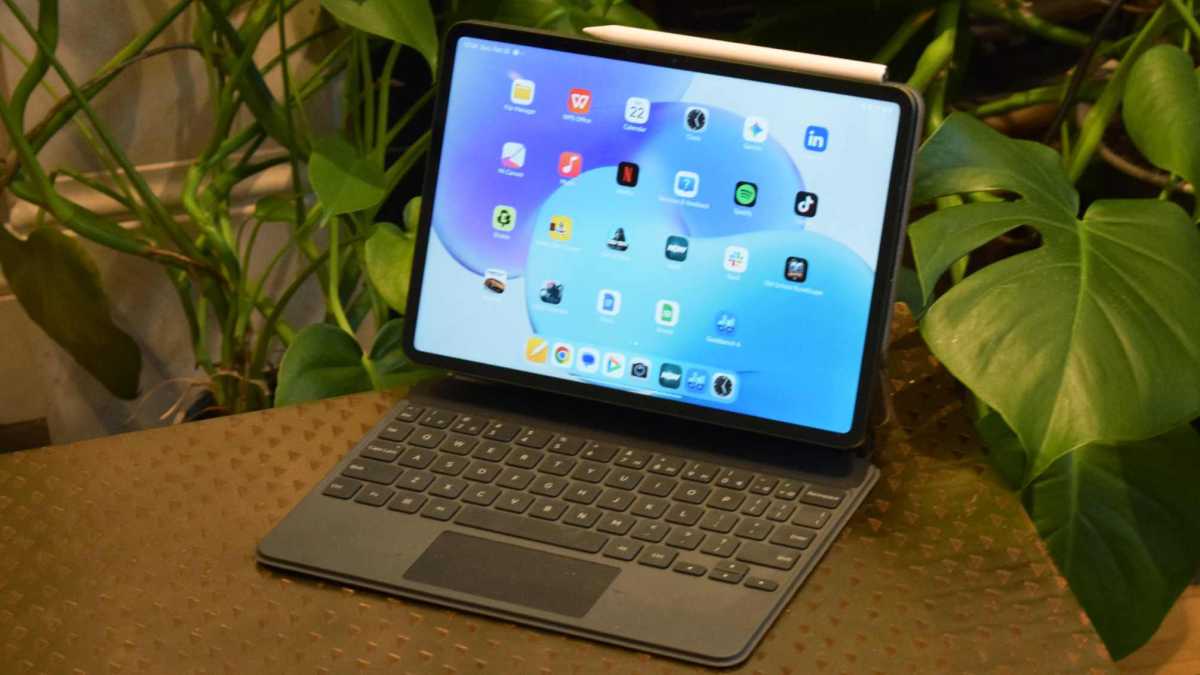
The Xiaomi Pad 8 (above) is the perfect example of this, as it crams so much in that its £399 asking price seems reasonable, such as the powerful Snapdragon 8s Gen 4 chipset and a massive 9,200mAh battery.
Here are the other budget tablets worth considering:
Dominik Tomaszewski / Foundry
Budget tablet news that could affect your buying decision
If you’ve tapped into the tech news cycle as of late, you may have spotted that OnePlus is now pulling out of Western markets, with parent brand Oppo looking to take its place. If you still have a OnePlus tablet then fear not, as the company has explained that it will honour ongoing commitments with regards to software updates and security patches, but the trade-off is that all OnePlus phones and tablets will move over to using ColorOS, which is the overlay currently used by Oppo products.
As a result, we’ve removed any applicable OnePlus tablets from this list as they can no longer be found new, but with that said, if you can find them for a reasonable price second-hand and they’re still within their promised update cycle then they might be worth considering.
Can I get a better budget tablet deal?
By their very nature, budget tablets are already reasonably priced for those who don’t want to spend too much, but if you want your money to go even further then you can use the deals widgets above that accompany each entry in this list. All of these widgets are able to scour the web for the best prices across all major retailers, saving you from the drudgery of doing all the research yourself.
Alternatively, Raylo acts like a subscription service for tech so that you can get the latest devices without paying the full price upfront.
If you can delay your purchase for a little bit however then you’ll be able to nab an even better deal during one of the year’s biggest sales events. Those who have followed our coverage of tablet deals will already know that Prime Day and Prime Big Deal Days (typically July and October) are two amazing opportunities for Amazon Prime subscribers to save big on budget tablets, especially Amazon’s own-brand Fire tablets which go for just a fraction of their original price.
For those who aren’t signed up to Prime, your best chance to save is during the Black Friday sale which takes place at the end of November each year. Practically every retailer tries to get in on the action here, so you’ll see the likes of Amazon, Currys, John Lewis and more aggressively reduce their prices in order to outdo one another, which just makes it a great time for consumers.
How we test budget tablets
In the case of every tablet that we review, whether it comes with a budget price tag or it’s aimed at the higher end of the market, our experts use the device as their own for at least a week to determine how it performs in everyday use, across tasks such as streaming video, gaming and web browsing. We also put each tablet through a series of industry-standard tests, such as Geekbench and PCMark, so that you can know right away how much power is available and what strain the battery can be placed under.
Read more about how we test tablets.
Why you should trust Tech Advisor for tablet reviews and buying advice
As one of the oldest consumer tech websites in the UK, Tech Advisor is committed to providing unbiased and thoroughly researched reviews that let you know right away whether a device is worth your hard-earned cash. We’ve covered the breadth of tablets from the launch of the first iPad to the latest laptop-like iPad Pros, so you can rely on our expertise to help you with your buying decision.
Who curated this article?
This buying guide was put together by Anyron Copeman, Mobile Editor of Tech Advisor. While Anyron has reviewed more budget tablets than any of us can realistically remember, he has also reviewed countless top-tier tablets, so he knows whether or not a more affordable option is going above and beyond to offer high-end specs at a reasonable price.
Dominik Tomaszewski / Foundry
How to choose the best budget tablet
When it comes to buying a budget tablet, just like buying one of the best budget phones, you need to recognise that there’s going to be some compromise involved in order to keep the cost down. While this means that you won’t be picking up a tablet that can go toe-to-toe with the super powerful iPad Pro, most budget tablets nowadays do excel in at least one or two areas – you just need to decide which features you care about the most.
For instance, if you want a tablet for streaming films and TV shows or downloading and watching them offline as you travel then you’re going to want two things: a great screen and solid battery life to back it up. It’s still quite rare for budget tablets to have OLED displays, but IPS panels do the trick just fine, offering up lots of colour for content on the move, while a larger battery cell (around 8000mAh or above) will have you set for plenty of hours of entertainment.
If you’re more concerned with having a tablet that’s better suited for gaming or even a spot of productivity such as sending emails or arranging your schedule, then you’ll want to focus more on the processor that’s included, and use the comparative charts of our benchmarking tests to see which budget tablets are able to take on a higher strain.
If in doubt, click through to our full reviews of each tablet to find out more.
Budget tablet buying guide
What screen size do I need?
That depends on what you’re planning to use it for. If portability is a top priority, consider something around 8- to 9-inch, which means it should be light enough to take anywhere with you.
For mainly at-home usage, consider something bigger. At least 10-inches will ensure there’s plenty of room for full-size video or video calling that everyone can comfortably see.
But if you’re planning on using a tablet for serious work, an even larger screen will probably suit you better. Above 12-inch means it’s a comparable size to many laptops and makes it capable of genuine multitasking.
Look for an IPS screen (or better yet, an OLED screen), as this technology is almost guaranteed to offer superior colours and viewing angles versus a basic TN display. IPS panels usually offer decent brightness and contrast, too.
Resolution isn’t as important as you might think. Pixel density is a better guide: you need fewer pixels on a smaller screen and vice versa. Look for at least 220 pixels per inch (often abbreviated to ‘ppi’ or ‘dpi’) to keep things looking crisp.
How much storage do I need?
Most budget tablets have limited storage, though some offer the flexibility of expansion via a microSD card. Make sure you check this before you buy.
Without it, you’ll want at least 64GB (this should be the bare minimum available now anyway). Most people will be better off with either 128- or 256GB, with 512GB and higher reserved for people who store a lot of files locally.
Just remember, a few GB of that storage is taken up by important system files that can’t be deleted, so the actual usable total will be slightly less.
How good do the cameras need to be?
For most tablet manufacturers, rear cameras simply aren’t a priority. People aren’t going to be going around taking photos like they would with a smartphone – instead, you really just want something for document scanning and the occasional quick snap.
However, some budget tablets don’t even ensure that, so it’s worth checking.
The front-facing lens is much more important, given its use for video calling. While a higher megapixel count is often better, try to also find a sensor that can capture video at Full HD (1080p) or higher, which will ensure crisp footage.
For more guidance, we have a camera section in each of our tablet reviews.
Which processor should I look for?
Flagship processors such as the Qualcomm Snapdragon 8 Elite and MediaTek Dimensity 9400 are generally the most capable, but you won’t find those on budget tablets.
Instead, for each device you’re considering, look at which other phones or tablets are already using it. If it’s new, see where it sits within the company’s lineup – if it’s the least powerful it makes, there may be cause for concern.
In general, it’s best to look for a processor made by either Qualcomm, MediaTek, Google or Apple, which are known to be generally reliable.
But don’t pay too much attention to clock speeds (in GHz) or even RAM. It’s easy to be fooled into believing a tablet will (or won’t) perform well, based on numbers alone.
Read our reviews to find out how each tablet handles in the real world.
What tablet software is best?
Across the 10 devices in this article, three different operating systems are represented.
The most popular is Android, and there are lots of budget Android tablets to choose from. However, each manufacturer offers a slightly different take on Android, so it’s worth researching these to see which one you prefer.
Also, the fact that a tablet is running Android doesn’t automatically make it good. There are plenty of relatively unknown brands out there which offer a sub-par experience.
While based on Android, Amazon’s Fire OS is fundamentally different. It’s a much simpler software that’s built around Amazon’s own apps. Plenty of third-party apps are available, but the Amazon Appstore has a fraction of the selection on the Google Play Store.
Last, but very much not least, is iPadOS. It’s only available on Apple’s iPad, though there are only minor tweaks compared to iOS, which runs on the iPhone. iPadOS uses Apple’s own App Store instead and is the best option if you’re invested in the Apple ecosystem or you want an easy-to-use tablet.
Related content