rn push notification No task registered for key ReactNativeFirebaseMessagingHeadlessTask

rn push notification No task registered for key ReactNativeFirebaseMessagingHeadlessTask

rn push notification No task registered for key ReactNativeFirebaseMessagingHeadlessTask add below to mainactivity.java file inside the App/src/main/AndroidManifest.xml file rn push notification No task registered for key ReactNativeFirebaseMessagingHeadlessTask, no task registered for key reactnativefirebasemessagingheadlesstask,react native 0.62 no task registered for key react native firebase messaging headlesstask,firebase messaging no task registered for key reactnativefirebasemessagingheadlesstask,react nativeno task registered […]
Tried to register two views with the same name RNCAndroidDialogPicker

Tried to register two views with the same name RNCAndroidDialogPicker

Tried to register two views with the same name RNCAndroidDialogPicker In my case the problem was being caused by react-native-picker and NativeBase both using different versions of the same react-native picker package. You have included the package “import {Picker} from ‘@react-native-picker/picker’;” and react-native-picker-select was using the same repository “react-native-picker/picker”. I resolved this issue by removing […]

react native iOS app not showing images after deploying

react-native iOS app not showing images after deploying

react-native iOS app not showing images after deploying The asset destination and the main.jsbundle have to be in the same folder. Run the below command in your project root directory. react-native bundle –minify –entry-file index.js –platform ios –dev false –bundle-output ./ios/main.jsbundle –assets-dest ./ios You will see the asset folder and main.jsbundle file in the ios […]

atomic notify one unsigned long is unavailable react native xcode

atomic_notify_one is unavailable react native xcode

atomic_notify_one is unavailable react native xcode You need to Update the flipper in your Podfile to look like this:- use_flipper!({ ‘Flipper-Folly’ => ‘2.5.3’, ‘Flipper’ => ‘0.87.0’, ‘Flipper-RSocket’ => ‘1.3.1’ }) Download Free Images //Now run pod repo update //inside the ios folder //And finally, update your project pods using pod install warning: Each child in […]

warning Each child in a list should have a unique key prop react native

warning: Each child in a list should have a unique “key” prop react native

warning: Each child in a list should have a unique “key” prop react native You need to add a unique key inside loop on a element like the below code of snippet:- {this.state.offers.map((res, i) => { return ( ); }) } Task :payu-non-seam-less-react:mergeReleaseResources FAILED warning: Each child in a list should have a unique “key” […]

create script tag request in javascript

create script tag request in javascript

create script tag request in javascript Using the below code snippet you can create script tag:- function addScriptTag( source) { var getscriptElement = document.createElement( ‘script’ ); getscriptElement .setAttribute( ‘src’, src ); document.body.appendChild( getscriptElement ); } addScriptTag(‘https://vrsoftcoder.com/’); how to convert all styles to inline style using javascript Download Free Images create script tag request in javascript, […]

The apps Info.plist file should contain a NSCameraUsageDescription

The app’s Info.plist file should contain a NSCameraUsageDescription

The app’s Info.plist file should contain a NSCameraUsageDescription Alternatively open Info.plist as source code and add this: NSCameraUsageDescription Camera usage description Task :payu-non-seam-less-react:mergeReleaseResources FAILED now clean the build and create a new archive with a new version then upload. Missing Purpose String in Info.plist, the app’s info.plist file should contain a nscamerausagedescription key, The app’s […]

payu non seam less reactmergereleaseresources failed

Task :payu-non-seam-less-react:mergeReleaseResources FAILED

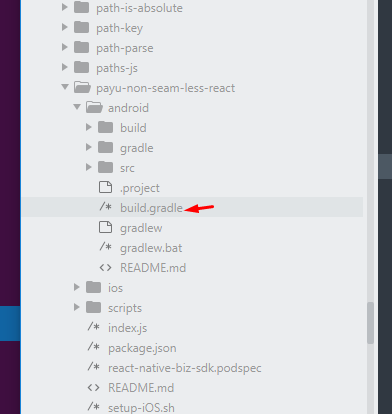
Task :payu-non-seam-less-react:mergeReleaseResources FAILED Follow the below code snippets to resolve this error:- Step 1. go to your android build.gradle file and replace the below line maven { url “https://phonepe.bintray.com/PhonePeIntentSDK” } Replace this with maven { url “https://phonepe.mycloudrepo.io/public/repositories/phonepe-intentsdk-android” } AAPT: error: failed to read PNG signature: file does not start with PNG signature Step 2. go […]

Scroll to Top