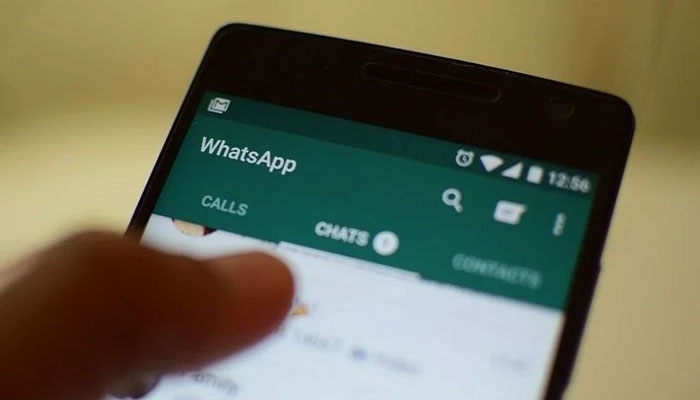
whatsapp web gets

WhatsApp Web gets audio and video calling feature

WhatsApp has introduced one of its most requested features for the web version of its messaging platform. The company has officially rolled out audio and video calling support for WhatsApp Web.

In addition to voice and video calls, users will also get screen sharing, call reactions and a new Calls tab where they can view their call history and favorite contacts.

According to the company, all calls on WhatsApp Web will be protected by end-to-end encryption, and there will be no time limit on calls.

Users will also be able to seamlessly transfer an ongoing call from one device to another such as between the mobile app, WhatsApp Web and the desktop app. Meta has also added noise suppression allowing background sounds to be filtered out during calls for clearer audio.

For video calls, users will be able to enjoy HD video quality by default as soon as the call begins. The rollout of these new features has already started and will gradually become available to WhatsApp users worldwide.

Similar Posts

  • |

    Robot phone launch date announced for August 12

    Beijing – A Chinese company is set to introduce what is being described as the world’s first robot phone and its unique feature is likely to surprise many people. Robots are gradually becoming part of everyday human life and now a Chinese company has announced the launch of its first robot phone. According to foreign media reports, the company will launch the phone in China on August 12. Its most distinctive feature is its camera which is not fixed like the camera on a conventional smartphone. The phone features a unique robotic camera system that can rotate while recording videos offering movements similar to those of a professional camera. In addition, a special camera module is installed on the top of the phone. It can pop out when needed and rotate in different directions. The phone’s camera system does more than simply move. It also uses artificial intelligence (AI) to automatically track a person or object in front of it. Similarly, if someone is walking or recording a video, the camera can automatically follow their movements. This can make video recording smoother and give the footage a more cinematic appearance. The Chinese company has confirmed that the robot phone will feature a triple rear-camera setup. Its primary camera will have a resolution of 200 megapixels. This means the phone will not only be capable of taking high-resolution photos but will also be able to capture better images of objects from a distance.

  • YouTube tightens monetization rules for creators

    YouTube, the world’s most popular video-sharing platform provides additional income opportunities to millions of people around the world. Yes, YouTube has become an attractive platform for people who want to earn money through videos. Billions of people use the video-sharing platform making it an excellent place for creative individuals to showcase their skills. Anyone can earn money from YouTube by becoming part of the YouTube Partner Program (YPP). However, earning money from YouTube will now become more difficult for many people as the company has tightened its requirements. YouTube monetization allows users to earn money through advertisements, channel memberships, Super Chat and merchandise. To unlock these features, users need to become part of the YouTube Partner Program. For this, certain requirements must be met and these requirements have now been made stricter. Previously, users needed at least 1,000 subscribers on their channel and more than 4,000 hours of watch time on their long-form videos over the previous 12 months to earn money from the platform. However, this requirement has now been doubled. Under the new requirements, users will need at least 8,000 hours of video watch time within one year to qualify for the Partner Program and earn money. Alternatively, they will need their YouTube Shorts videos to receive more than 20 million views within the previous 90 days. Previously, the requirement for earning through Shorts was 10 million views. The new changes will take effect from February 1, 2027. Google has clarified that users who are already part of the YouTube Partner Program will not be affected by this update. YouTube also stated that, in the future, users will need to maintain 10 million Shorts views within a 90-day period to continue earning from Shorts. If they fail to meet this requirement, they will remain part of the Partner Program and will still be able to earn money from long-form videos. However, they will only be able to earn from Shorts again after reaching 10 million views once more. According to the company, these changes are being introduced to keep pace with YouTube’s continued growth. More than 200 billion Shorts are now viewed on YouTube every day, while users watch the equivalent of one billion hours of video content on television screens alone. However, these changes will make it more difficult for users to join the YouTube Partner Program and maintain their eligibility particularly those who primarily create and post Shorts videos.

  • How to disable YouTube Shorts from your feed?

    For years, YouTube has been considered a hub for videos with long-form content being watched by users for a long time. In 2020, YouTube introduced short-form videos similar to TikTok under the name Shorts. While many people enjoy short videos, not everyone likes them. At the same time, Shorts can be highly addictive and once users start scrolling, it can become difficult to stop for hours. The good news is that you can control your YouTube feed and disable Shorts. After doing so, short videos will no longer appear in the YouTube app on your smartphone. Although YouTube does not currently offer a direct “Turn Off Shorts” option, there is a setting that can be used to disable Shorts videos. This tool is available under the Time Management settings on both Android and iOS devices. How to disable YouTube Shorts? Open the YouTube app on your phone. Tap the “You” tab at the bottom of the app. Tap the gear icon at the top to open Settings. Scroll down and select Time Management. Find the Shorts Feed Limit option. Enable it and select 0 minutes. After this, when you scroll through your Home feed, the Shorts section will no longer appear. The Shorts tab will still remain in the bottom menu but Shorts videos will not open unless you select “Ignore limit for today.” It should be noted that this feature is not available on the desktop version of YouTube.

  • |

    Android 17 feature may help reduce motion sickness 

    Some people may suddenly experience nausea and dizziness while travelling by plane, train, ship or car. This condition is medically known as motion sickness and people affected by it may experience nausea, vomiting, dizziness and other symptoms. If you are also one of those people who experience dizziness or nausea while travelling in a moving vehicle, you are not alone. Many people around the world experience this problem. Generally, experts advise people suffering from motion sickness to avoid using their phones. However, Google has now introduced a new feature called Motion Assist for Android smartphone users. According to a report by Android Authority, Google has started gradually rolling out this feature. It is part of the Android 17 operating system and is being introduced first for Google Pixel phones. The feature is designed to help reduce the severity of motion sickness while travelling in a vehicle. What causes motion sickness? Motion sickness is a somewhat mysterious condition and its exact cause is not fully understood. However, experts have identified several possible reasons. One thing is clear: motion sickness can occur when our senses send conflicting signals to the brain. For example, if you are sitting on a swing that is moving up and down, your eyes may see one thing, your muscles may sense something else while your inner ear experiences something completely different. The brain may struggle to process these conflicting signals resulting in dizziness or nausea. Experts believe that the inner ear plays an important role in motion sickness because it helps control our sense of balance. The inner ear is part of a network known as the vestibular system which sends information about the body’s movement and surroundings to the brain. The brain combines information from different parts of the body to make sense of what is happening but sometimes these signals can become confusing. For example, while traveling on an airplane, you may feel movement but your eyes may tell your brain that you are sitting still. A similar situation can occur while travelling on a river or at sea. You may be sitting or standing on a stable surface while still experiencing a sensation of movement. Some passengers particularly those sitting away from the driver’s seat in a car can experience the same thing. All of these situations can result in motion sickness. What is Google’s new feature and how does it work? Google has been working on this feature for quite some time. The code for the feature was first spotted in December 2024 and development has continued since then. It has now become part of Android 17. Once the feature becomes available, users will be able to find it by going to Settings then Your Profiles and All Services. From there, users can access the Personal and Device Safety section and enable the feature. Once enabled, Motion Assist will automatically activate when the phone detects that it is inside a moving vehicle. Google will also provide a Motion Assist option in Quick Settings allowing users to manually turn the feature on or off. When the feature is active, users will have several customization options. They will be able to change the colour, appearance and other aspects of the motion indicators. During a journey, motion dots will appear on the screen to help reduce the feeling of nausea. It should be noted that the feature does not guarantee complete relief from motion sickness but it may still prove helpful. Are there other simple ways to prevent motion sickness? According to the U.S. Centers for Disease Control and Prevention (CDC), several simple measures may help reduce or prevent motion sickness. These include: Prefer sitting in the front seat of a car or bus. Choose a window seat on an airplane or train. If possible, lie down and close your eyes. Drink plenty of water and avoid tea or coffee. Avoid eating large meals before travelling. Avoid smoking. Distract yourself with activities such as listening to music but avoid reading. Take deep breaths to stay calm or close your eyes and count backward from 100. Look at a stationary object such as looking at the sky while traveling in a vehicle. If available, chewing a small amount of ginger may also help. The smell of mint or using mint candies may also provide some relief.

  • |

    Google Pixel 11 Pro XL features leaked ahead of launch

    San Francisco: Key features of the Google Pixel 11 Pro XL have reportedly been leaked with major upgrades expected in its camera and AI technology. According to a report by Geeky Gadgets, details about the design and key features of Google’s upcoming flagship smartphone have emerged ahead of its launch. Google is preparing to introduce new devices at its hardware event on August 12. According to the leaked information, the Pixel 11 Pro XL is expected to receive significant upgrades in several areas, including the camera, artificial intelligence, processor and connectivity. The leaks have attracted considerable attention from technology enthusiasts. Google is reportedly planning major improvements to the phone’s design, camera, performance and AI capabilities. According to the leaked details, the phone’s camera bar has been redesigned and will reportedly include an LED notification ring. Early leaks referred to this feature as “Pixel Glow” but recent reports suggest its possible official name could be “Highlight.” Available in five colours The Pixel 11 Pro XL is reportedly expected to be available in five colours: green, light green, silver, midnight and red. The phone is expected to feature a 6.8-inch LTPO OLED display with support for a 120Hz refresh rate. Reports also suggest that it will have a 13-megapixel ultra-wide selfie camera on the front. The design is also expected to receive some changes. The Pixel 11 Pro XL may feature a durable aluminum frame and Gorilla Glass Victus 3 which could provide greater protection against scratches and accidental drops. Major camera improvements The Pixel 11 Pro XL is expected to have a triple rear-camera setup. According to the leaks, it may include a 50-megapixel main camera, a 48-megapixel ultra-wide camera and a 48-megapixel periscope telephoto camera. The telephoto camera is reportedly expected to provide 5x optical zoom. The phone may also feature a 120x Pro Zoom option in its software, designed to capture distant objects and scenes with greater detail. With the help of Google’s Gemini AI technology, the camera could offer improved low-light photography, scene recognition and real-time image processing. A new mode called “Motion Capture” is also reportedly being developed. It could use AI to track moving people or objects and maintain focus on them. Improved performance with Tensor G6 The phone is also expected to feature Google’s new Tensor G6 processor which could provide improved performance for multitasking, gaming, video editing and AI-powered applications. The Tensor G6 is expected to offer enhanced capabilities for on-device machine learning, real-time language translation and intelligent text suggestions. The leaked reports also claim improvements in battery performance. The phone could feature an adaptive power-management system that adjusts energy consumption according to usage patterns to help extend battery life. Range of AI features The Pixel 11 Pro XL is expected to include several new AI-powered features. These may include an Animal Rescue feature designed to help identify and locate lost pets. Other expected features include advanced voice recognition, personalized app suggestions based on user habits, improved security, on-device encryption and real-time threat detection. A new Focus Mode could allow users to temporarily silence unnecessary notifications so they can concentrate on important tasks. Reports have also mentioned improved speakers, spatial audio and potentially advanced augmented reality (AR) features. Although most of the information currently available about the Pixel 11 Pro XL is based on leaks and speculation, it suggests that Google is focusing heavily on AI technology alongside hardware improvements in its new flagship smartphone. Google is expected to officially announce the phone’s final specifications and price at its launch. Until then, the reported details should be considered leaks and speculation rather than confirmed information.


  • WhatsApp feature many users still don’t know about

    WhatsApp is the world’s most popular messaging app with billions of messages sent every day. Although billions of people use the app, many users are still unaware of some of its useful built-in features. One such feature allows you to change the formatting of your WhatsApp messages. If you don’t like the default appearance of your text, you can use different formatting styles before sending your message. While this feature has been available on WhatsApp for several years, many people still don’t know about it. To make your text bold, place an asterisk (*) at the beginning and end of the word or sentence, for example: *biscuit*. To make text italic, add an underscore (_) at the beginning and end, for example: _text_. For strikethrough, place a tilde (~) at the beginning and end of the text, for example: ~text~. You can also use a monospace font by placing three backticks () at the beginning and end of your message, for example: text“`.

Leave a Reply

Your email address will not be published. Required fields are marked *