warning Each child in a list should have a unique key prop react native

warning: Each child in a list should have a unique “key” prop react native

warning: Each child in a list should have a unique “key” prop react native You need to add a unique key inside loop on a element like the below code of snippet:- {this.state.offers.map((res, i) => { return ( ); }) } Task :payu-non-seam-less-react:mergeReleaseResources FAILED warning: Each child in a list should have a unique “key” […]
create script tag request in javascript

create script tag request in javascript

create script tag request in javascript Using the below code snippet you can create script tag:- function addScriptTag( source) { var getscriptElement = document.createElement( ‘script’ ); getscriptElement .setAttribute( ‘src’, src ); document.body.appendChild( getscriptElement ); } addScriptTag(‘https://vrsoftcoder.com/’); how to convert all styles to inline style using javascript Download Free Images create script tag request in javascript, […]

The apps Info.plist file should contain a NSCameraUsageDescription

The app’s Info.plist file should contain a NSCameraUsageDescription

The app’s Info.plist file should contain a NSCameraUsageDescription Alternatively open Info.plist as source code and add this: NSCameraUsageDescription Camera usage description Task :payu-non-seam-less-react:mergeReleaseResources FAILED now clean the build and create a new archive with a new version then upload. Missing Purpose String in Info.plist, the app’s info.plist file should contain a nscamerausagedescription key, The app’s […]

payu non seam less reactmergereleaseresources failed

Task :payu-non-seam-less-react:mergeReleaseResources FAILED

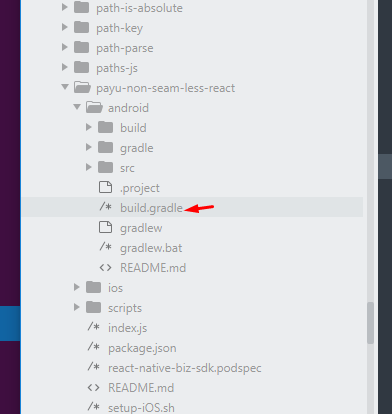
Task :payu-non-seam-less-react:mergeReleaseResources FAILED Follow the below code snippets to resolve this error:- Step 1. go to your android build.gradle file and replace the below line maven { url “https://phonepe.bintray.com/PhonePeIntentSDK” } Replace this with maven { url “https://phonepe.mycloudrepo.io/public/repositories/phonepe-intentsdk-android” } AAPT: error: failed to read PNG signature: file does not start with PNG signature Step 2. go […]

failed to read PNG signature file does not start with PNG signature

AAPT: error: failed to read PNG signature: file does not start with PNG signature

AAPT: error: failed to read PNG signature: file does not start with PNG signature You need to change some configurations in android/app/build.gradle. Follow the below setups:- Step 1. // add or change crunchPngs to false android { buildTypes { release { crunchPngs false // or true } } } Step 2. // Clean Build using […]

how to add or change style of an element using javascript

how to add or change style of an element using javascript

how to add or change style of an element using javascript Read Article From vrsoftcoder. The heading color was changed by a script. javascript style an element // get the element by id var getElement= document.querySelector(“#changecolor”); // update the style getElement.style.color = “yello”; getElement.style.backgroundColor = “blue”; How to Make http post request in Angular 14 […]

typedef redefinition with different types uint8 t aka unsigned char vs enum clockid t react native

typedef redefinition with different types (‘uint8_t’ (aka ‘unsigned char’) vs ‘enum clockid_t’) react native

typedef redefinition with different types (‘uint8_t’ (aka ‘unsigned char’) vs ‘enum clockid_t’) react native Most developers will face this issue during running a build of react-native in Xcode ( IOS ). Below is the solution:- Comment these lines in your Podfile # use_flipper! # post_install do |installer| # flipper_post_install(installer) # end Now run the command […]

How to Make HTTP POST request in Angular 14

How to Make http post request in Angular 14

How to Make http post request in Angular 14 In this angular 14 tutorial, we are going to learn how to send POST requests to REST API servers in your Angular 14 application using Httplient, Angular services and models. We need the HTTP POST method for many uses but mainly used to add new data […]

How to remove style property using javascript

How to remove style property using javascript

How to remove style property using javascript Please check the below code snippet:- var getelement = document.getElementById(‘element-id’); getelement.style.width = ‘0px’; getelement.style.height = ‘0px’; getelement.style.display = ‘none’; getelement.style.marginLeft= ‘100px’; getelement.style.marginRight= ‘100px’; remove style javascript,javascript remove style,remove css style javascript,how to remove style attribute in javascript,remove style property javascript,remove style in javascript,remove style from element javascript,how to […]

Scroll to Top