
check for a value in array javascript
Check for a value in array javascript To check for a value in an array in javascript using the below code snippet:- const fruit = [“Orange”, “Banana”, “Apple”, “Mango”]; fruit.includes(“Mango”);
Check for a value in array javascript To check for a value in an array in javascript using the below code snippet:- const fruit = [“Orange”, “Banana”, “Apple”, “Mango”]; fruit.includes(“Mango”);
create object and sub object using javascript loop To create create object and sub-object using javascript loop use the below code snippet var mainobj = []; var count = 0; for (const key of walkingdata) { mainobj.push({lat: key.lat, lng: key.lng,subdata:[]}); for (i = 0; i < walkingdata.length; i++) { if(walkingdata[i].distance < 600){ mainobj[count].subdata.push({lat: key.lat, lng: […]
Uncaught TypeError: Cannot read properties of null (reading ‘addEventListener’) In JavaScript, a very common error is the Uncaught TypeError: Cannot read properties of null (reading ‘addEventListener’). This error occurs when JavaScript cannot find the element by using its id through the getElementById() function. Another case of this error is you no HTML element id exists […]
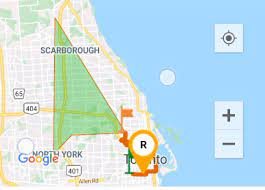
How to add polygons and polyline in react native map In this tutorial, I am going to show you how you can add the polyline and polygon in react native app application. import the react-native map package with Polyline and polygon:- import MapView, { Marker, AnimatedRegion,PROVIDER_GOOGLE,Polyline,polygon } from “react-native-maps”; Please check the below complete code […]

How to check battery level and percentage of android and ios device in React Native To check the battery level in react native we can use NPM package ( react-native-device-info ). The documentation of this package is very easy. In this tutorial we will learn how to check battery level of a android and ios […]
After lots of searching and efforts i have done the social sharing in my ionic react app. So you need to follow below setups:- 1) Install the below packages through npm npm install cordova-plugin-x-socialsharing npm install @ionic-native/social-sharing 2) Import package in your component as like below:- import { SocialSharing } from ‘@ionic-native/social-sharing’; 3) Now you […]
In this tutorials we will use a package named @react-native-community/checkbox to add checkboxes in react native. So follow the below setups:- 1) Install the @react-native-community/checkbox package like below in your application yarn add @react-native-community/checkbox or npm install @react-native-community/checkbox –save On iOS, install cocoapods: npx pod-install 2) Link the module in your application react-native link @react-native-community/checkbox […]
Error: Realm at path ‘/data/user/0/com.drug/files/drugApp.realm’ already opened on current thread with different schema. To solve this error you need to close Realm instance like below code example:- export const insertNewContact = newcontact => new Promise((resolve,reject) => { Realm.open(databaseOptions).then(realm=>{ realm.write(() => { console.log(newcontact); realm.create(CONTACT_SCHEMA, newcontact); resolve(newcontact); realm.close(); }); }).catch((error) => reject(error)); });
error: TypeError: Cannot read property ‘map’ of undefined at resolveDependencies (C:xampphtdocsreactnativereactnativerealmdrugnode_modulesmetrosrcDeltaBundlertraverseDependencies.js To solve this error in react native you need to clean your temp folder in windows OS. Goto C:UsersAppDataLocalTemp folder. Delete all data.
How to get data in DESC order Realm React Native To get data in descending order in Realm React Native or react ionic you need to use the following sorted method like below:- var contacts = realm.objects(‘contacts’).sorted(‘id’, true); console.log(contacts); if you have a question ask here Ask Questions