React Native

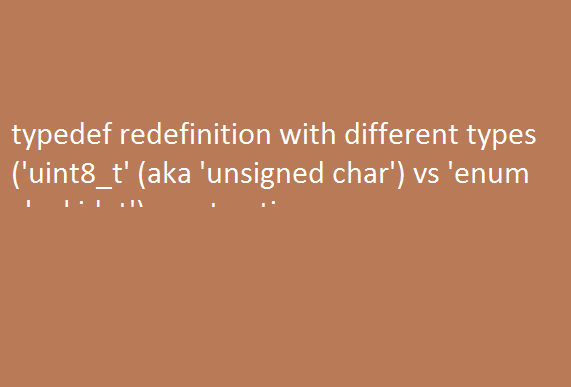
typedef redefinition with different types uint8 t aka unsigned char vs enum clockid t react native

typedef redefinition with different types (‘uint8_t’ (aka ‘unsigned char’) vs ‘enum clockid_t’) react native

typedef redefinition with different types (‘uint8_t’ (aka ‘unsigned char’) vs ‘enum clockid_t’) react native Most developers will face this issue during running a build of react-native in Xcode ( IOS ). Below is the solution:- Comment these lines in your Podfile # use_flipper! # post_install do |installer| # flipper_post_install(installer) # end Now run the command […]
create object and sub object using javascript loop

create object and sub object using javascript loop To create create object and sub-object using javascript loop use the below code snippet var mainobj = []; var count = 0; for (const key of walkingdata) { mainobj.push({lat: key.lat, lng: key.lng,subdata:[]}); for (i = 0; i < walkingdata.length; i++) { if(walkingdata[i].distance < 600){ mainobj[count].subdata.push({lat: key.lat, lng: […]

How to add polygons and polyline in react native map VR SoftCoder

How to add polygons and polyline in react native map

How to add polygons and polyline in react native map In this tutorial, I am going to show you how you can add the polyline and polygon in react native app application. import the react-native map package with Polyline and polygon:- import MapView, { Marker, AnimatedRegion,PROVIDER_GOOGLE,Polyline,polygon } from “react-native-maps”; Please check the below complete code […]

How to add checkbox in react native

How to add checkbox in react native?

In this tutorials we will use a package named @react-native-community/checkbox to add checkboxes in react native. So follow the below setups:- 1) Install the @react-native-community/checkbox package like below in your application yarn add @react-native-community/checkbox or npm install @react-native-community/checkbox –save On iOS, install cocoapods: npx pod-install 2) Link the module in your application react-native link @react-native-community/checkbox […]

Error Realm at path datauser0com.drugfilesdrugApp.realm already opened on current thread with different schema

Error: Realm at path /data/user/0/com.drug/files/drugApp.realm already opened on current thread with different schema.

Error: Realm at path ‘/data/user/0/com.drug/files/drugApp.realm’ already opened on current thread with different schema. To solve this error you need to close Realm instance like below code example:- export const insertNewContact = newcontact => new Promise((resolve,reject) => { Realm.open(databaseOptions).then(realm=>{ realm.write(() => { console.log(newcontact); realm.create(CONTACT_SCHEMA, newcontact); resolve(newcontact); realm.close(); }); }).catch((error) => reject(error)); });

can not read property

Error: TypeError: Cannot read property map of undefined at resolveDependencies (C:xampphtdocsreactnativereactnativerealmdrugnode_modulesmetrosrcDeltaBundlertraverseDependencies.js

error: TypeError: Cannot read property ‘map’ of undefined at resolveDependencies (C:xampphtdocsreactnativereactnativerealmdrugnode_modulesmetrosrcDeltaBundlertraverseDependencies.js To solve this error in react native you need to clean your temp folder in windows OS. Goto C:UsersAppDataLocalTemp folder. Delete all data.

Scroll to Top